Fixed asset audits in 5 days, not weeks

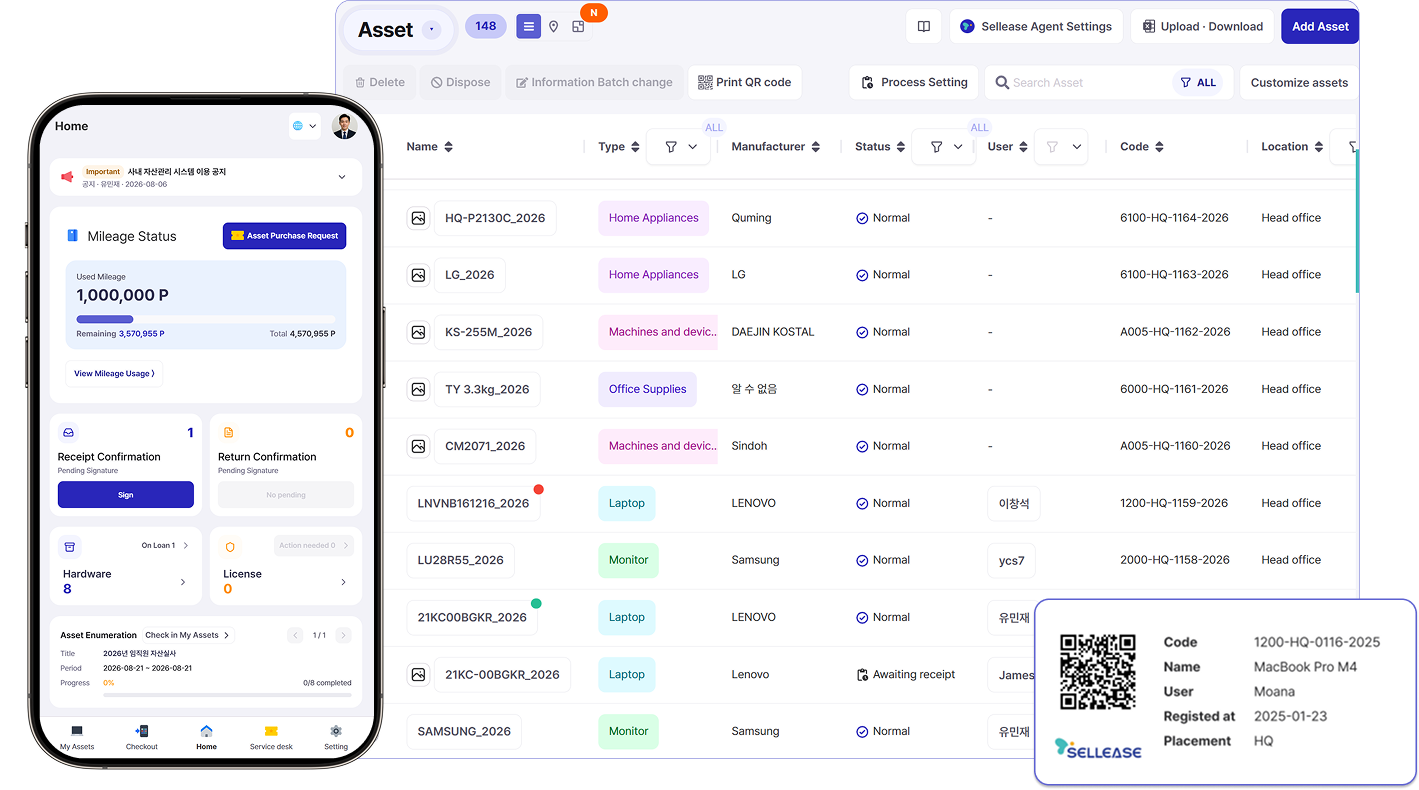
Scan a QR tag and the location is logged automatically, while depreciation is calculated in sync with your ERP. Stop worrying about ledger gaps at audit time or paying for assets lost in storage.
유형자산Assets148
AI 자산 등록AI asset capture
하반기 정기 실사H2 asset audit
72%73%
이름Name종류Type사용자User위치Location실사Audit
MacBook Air 13노트북Laptop김서연S. Kim본사 3FHQ 3F완료Done
LG Gram 14노트북Laptop이민준M. Lee본사 3FHQ 3F대기Pending완료Done
Samsung ViewFinity모니터Monitor박지호J. Park판교 오피스Pangyo완료Done
Sindoh D422복합기Printer-본사 2FHQ 2F대기Pending
Herman Miller Aeron가구Furniture정하은H. Jung본사 3FHQ 3F대기Pending
Dell PowerEdge R650서버Server-IDCIDC완료Done
자산 QR을 비춰주세요Point at the asset QR
1200-HQ-0138LG Gram 14 · 노트북
사용자 이민준
LG Gram 14 · Laptop
User M. Lee
SELLEASE
✓스캔 완료Scanned
LG Gram 14
AI 인식AI match

자산번호Asset no.1200-HQ-0138

상태Status정상 · 실사 완료OK · Audited

사용자User이민준M. Lee

장부가액Book value₩1,240,000

실사 완료 · 위치 저장됨Audited · location saved
📍스캔 위치 자동 기록Location logged on scan본사 3F · 방금 전HQ 3F · just now
📊감가상각 자동 계산 · ERP 연동Auto depreciation · ERP sync장부가액 ₩1,240,000Book value ₩1,240,000
Asset(EN)
밀워키스웨즈락러쉬코리아 1세방전지HPSSeegene

Snap a photo, and the asset is registered

Take a photo with your phone and AI recognizes the product type, manufacturer and model, then fills in the asset details for you. No more hunting for model numbers.
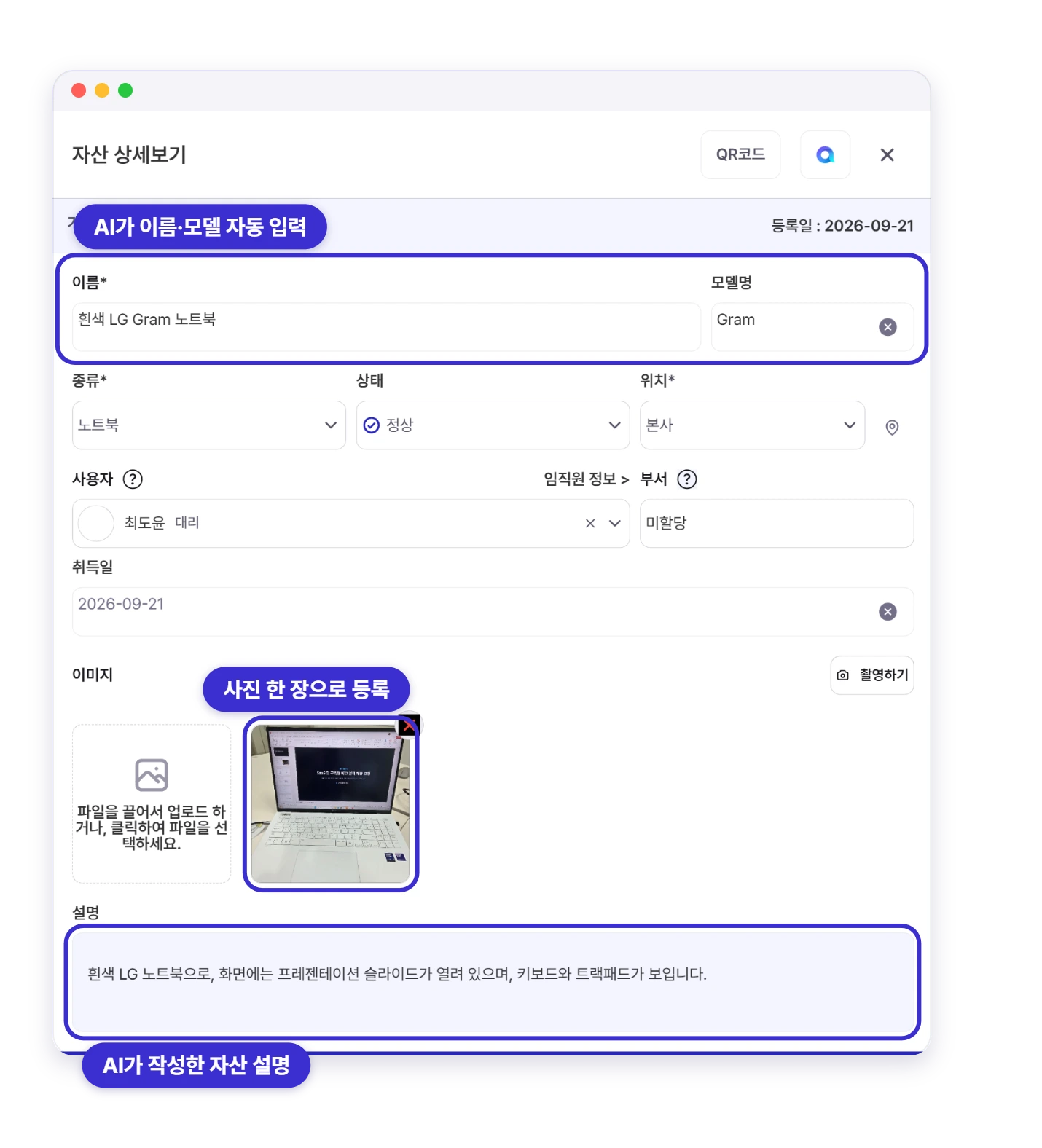
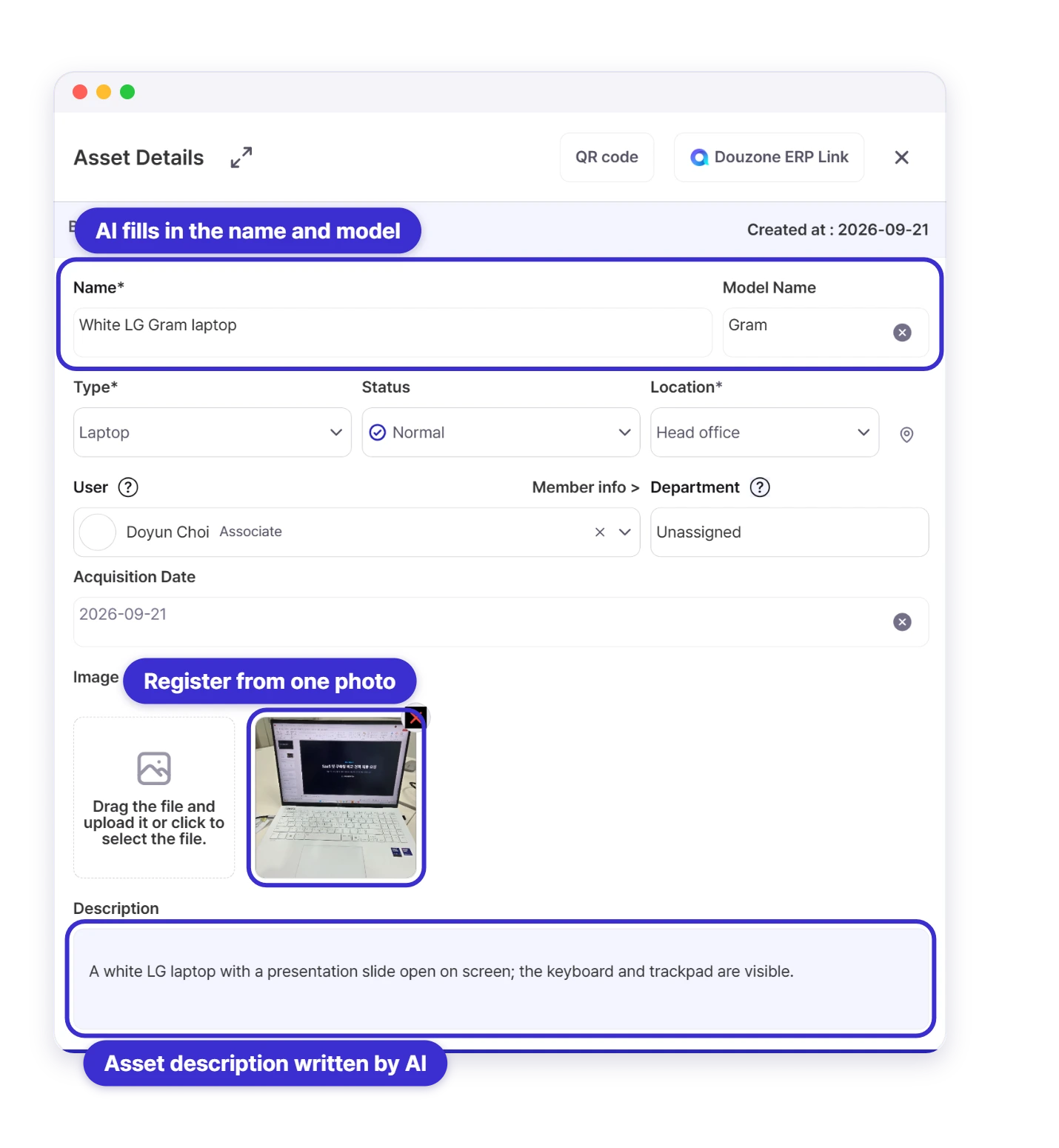
사진 한 장으로 등록된 자산 상세 — AI가 이름·모델명과 자산 설명을 자동 입력
Asset registered from a single photo, with AI-filled name, model and description
Sellease Aseet Field Customizing

Bring your spreadsheet register over as-is

Excel Upload

Excel Upload

Quickly manage your data with simple Excel uploads.

Data Customization

Data Customization

Customize your data to suit your specific needs.

Asset Duplication

Easily duplicate similar assets for faster registration.

Bulk Edit

Bulk Edit & Delete

Save time by editing multiple asset details at once.
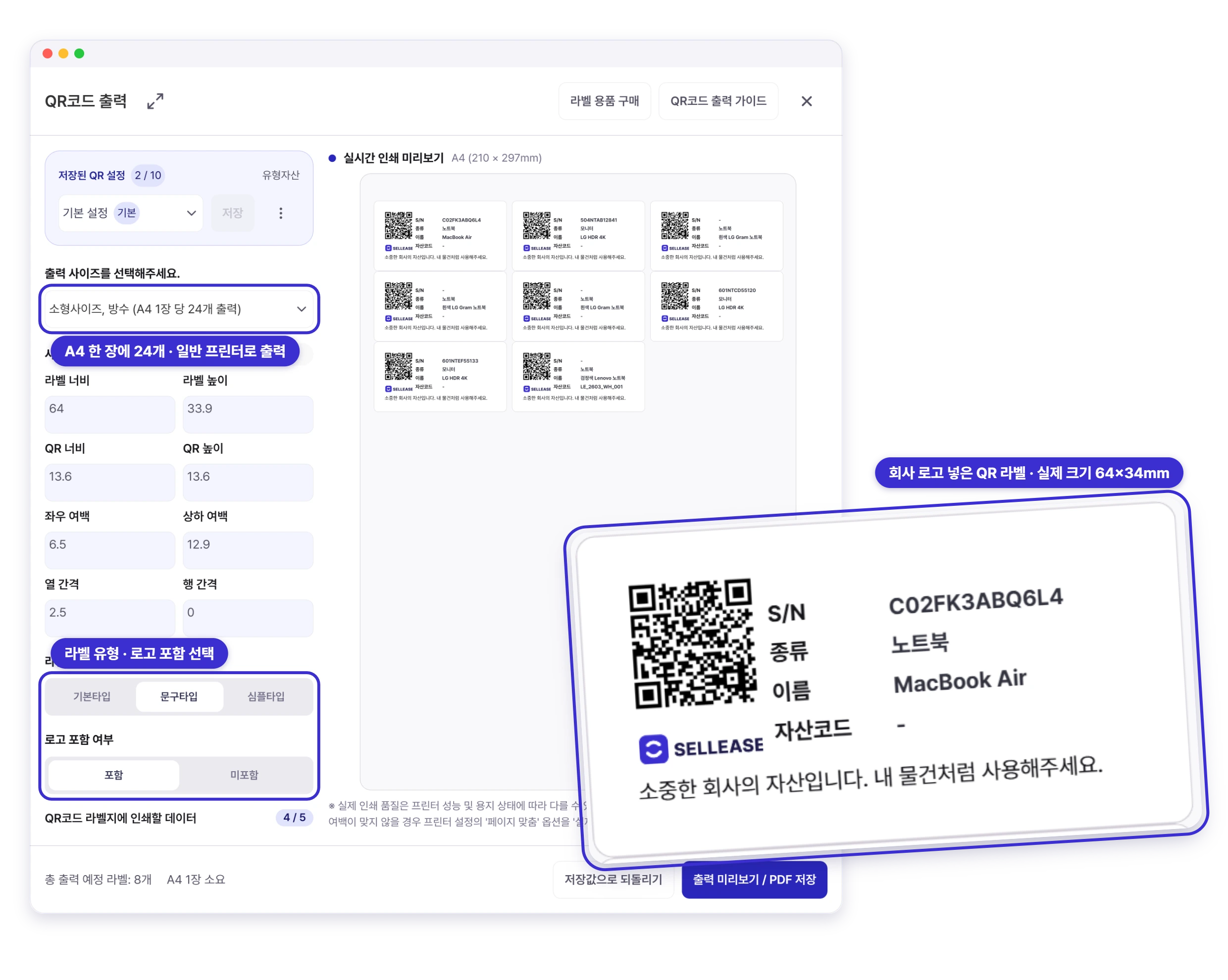
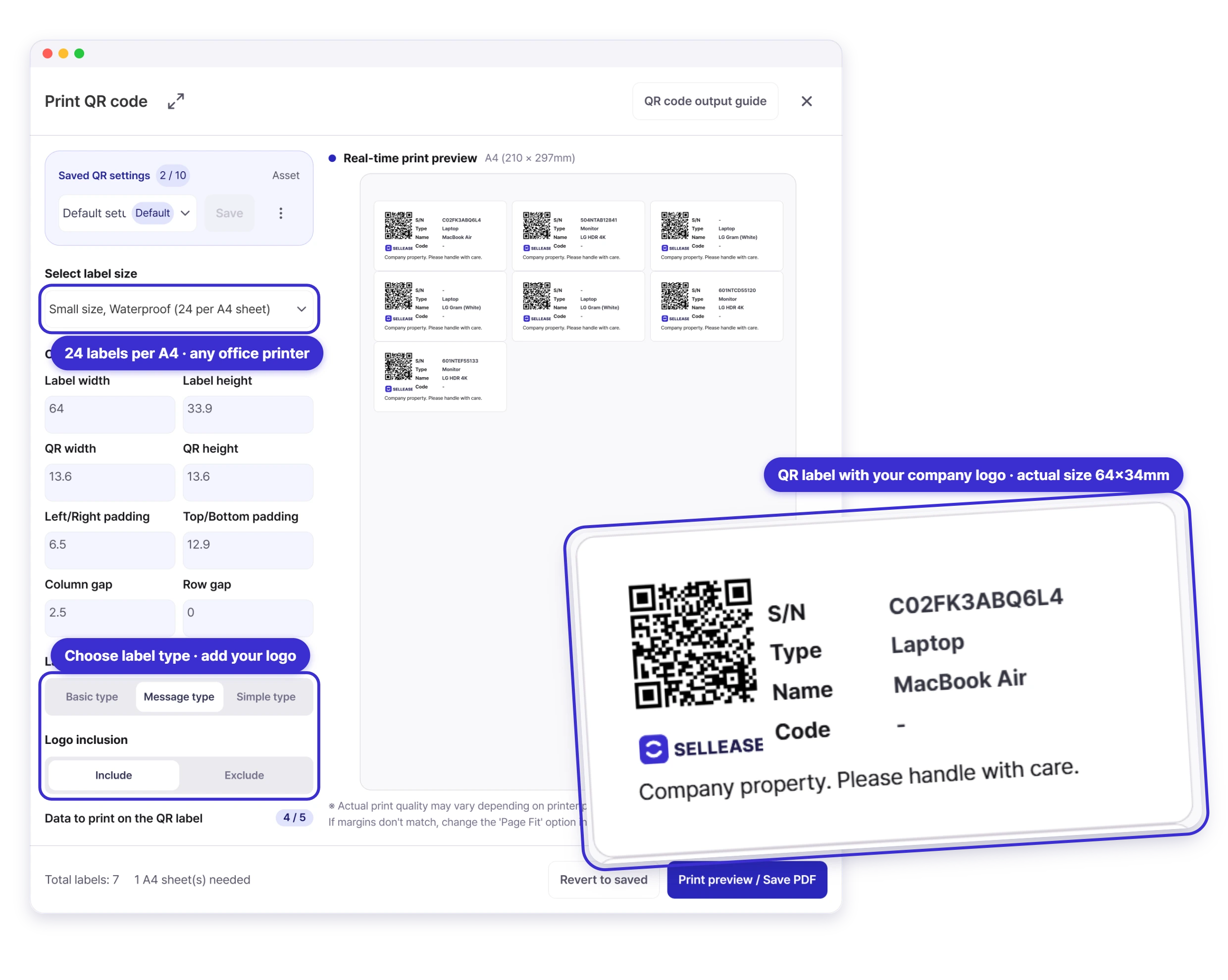
셀리즈 QR코드 출력 화면 — A4 한 장에 24개, 회사 로고를 넣은 QR 라벨
Sellease Print QR code screen — 24 labels per A4 sheet with your company logo

Your own QR labels, no special hardware

All you need is A4 label sheets and a regular printer. Print QR labels with your company logo and stick them on your assets.

Company-wide stock-takes in 5 days, not weeks

Employees confirm their own assets and report their condition from their phones. Admins follow progress in real time and finish an audit that used to take weeks in 5 days.

 Employee Asset Audit
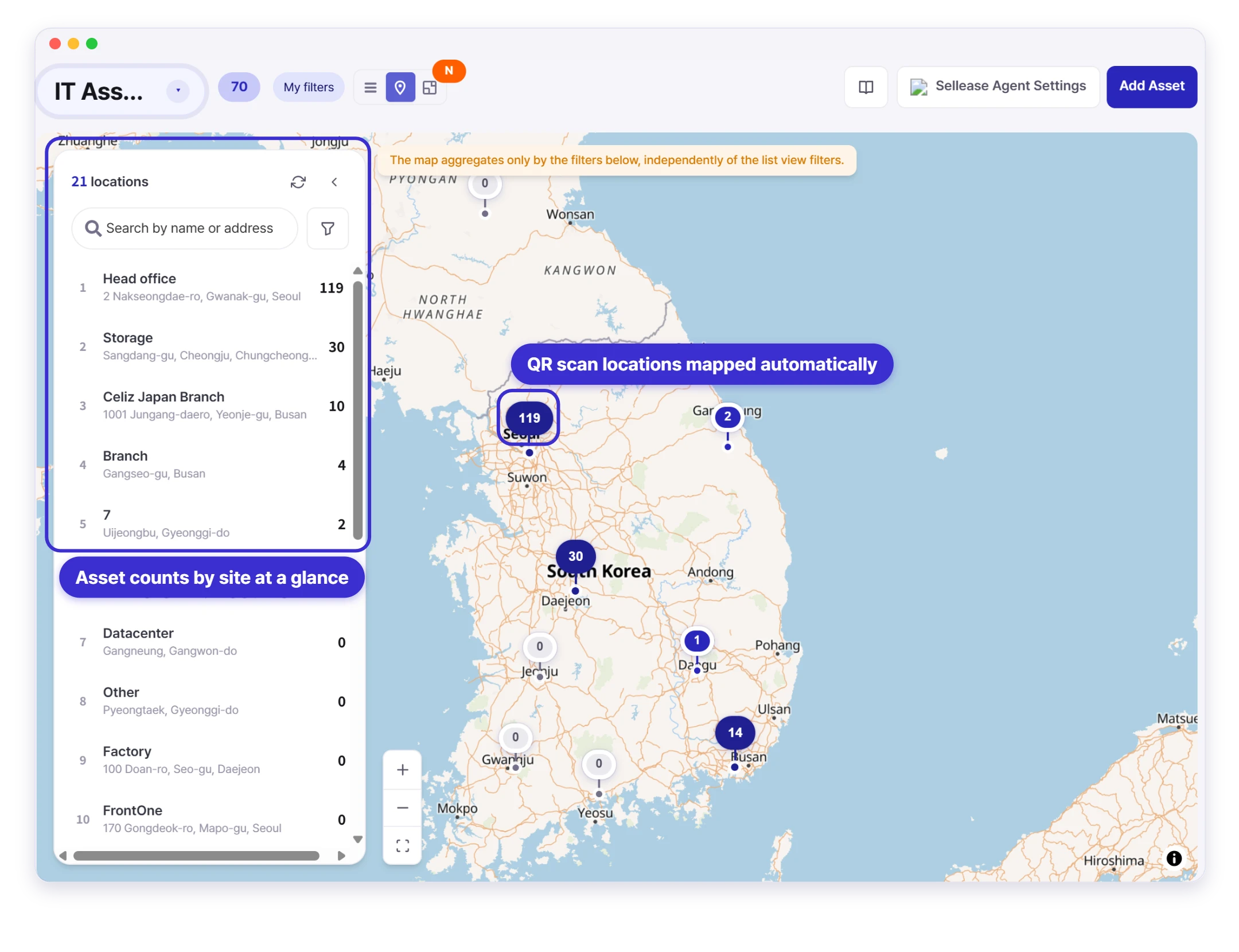
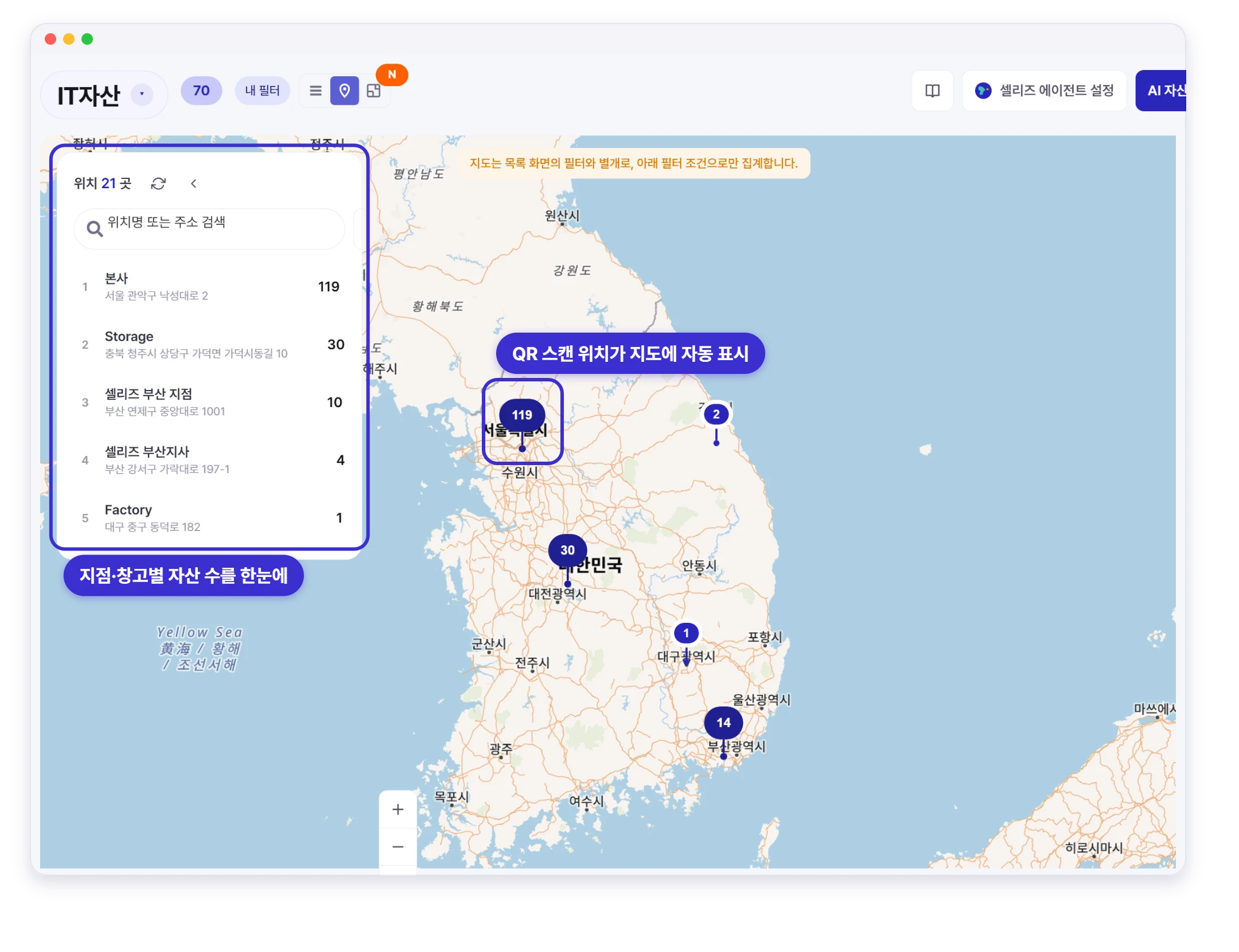
셀리즈 자산 지도 — 지점·창고별 자산 수와 QR 스캔 위치를 지도에서 한눈에
Sellease asset map — asset counts by site and QR scan locations at a glance

Every asset's location, at a glance on the map

The moment you scan a QR code, its location is auto-logged via GPS. Track your tangible assets in real time across every site and floor-plan.

Not “somewhere on the 3rd floor”, but the exact desk

Drop assets onto floor plans to see what sits at each seat, meeting room, and zone with user and status right on the layout.
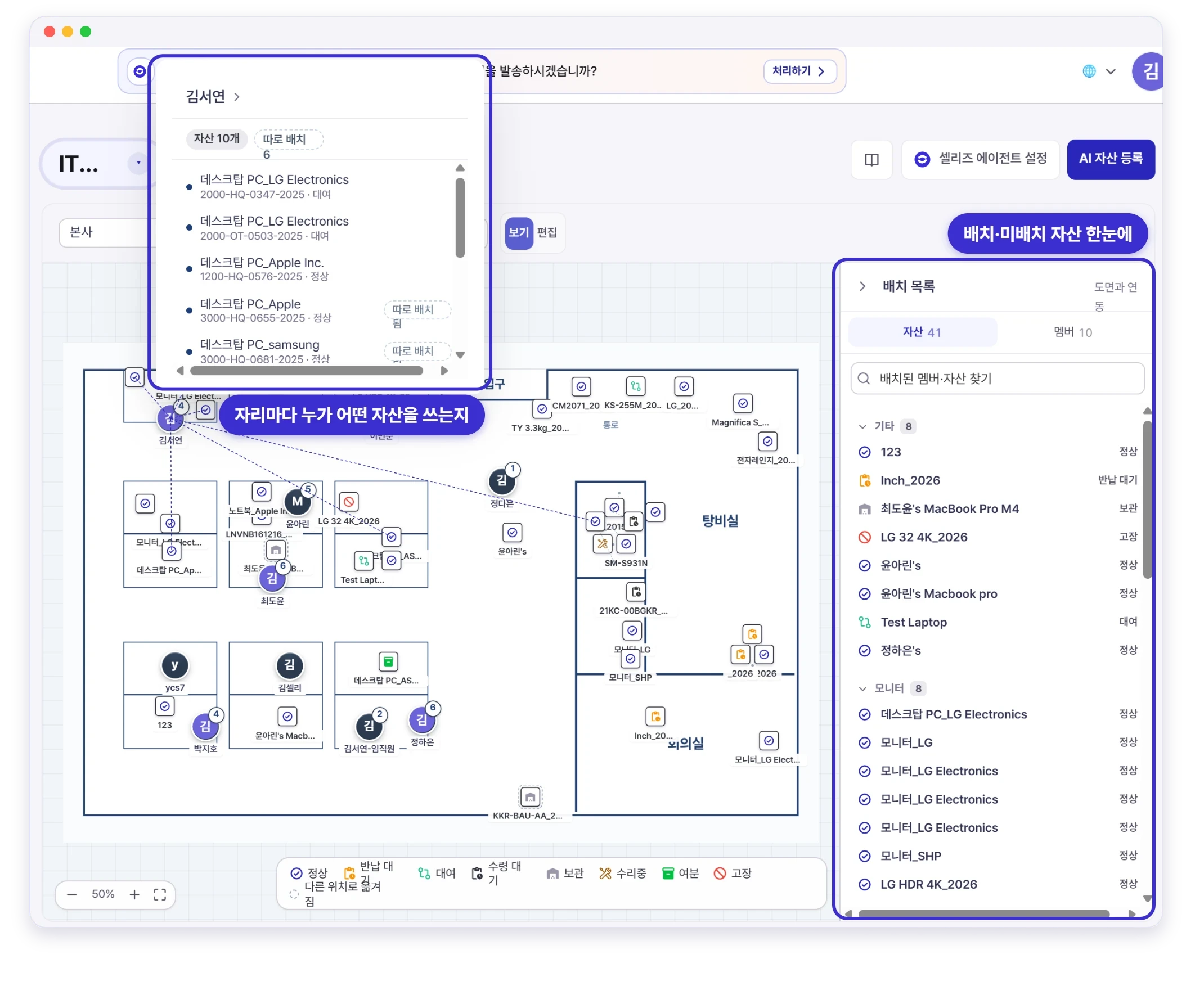
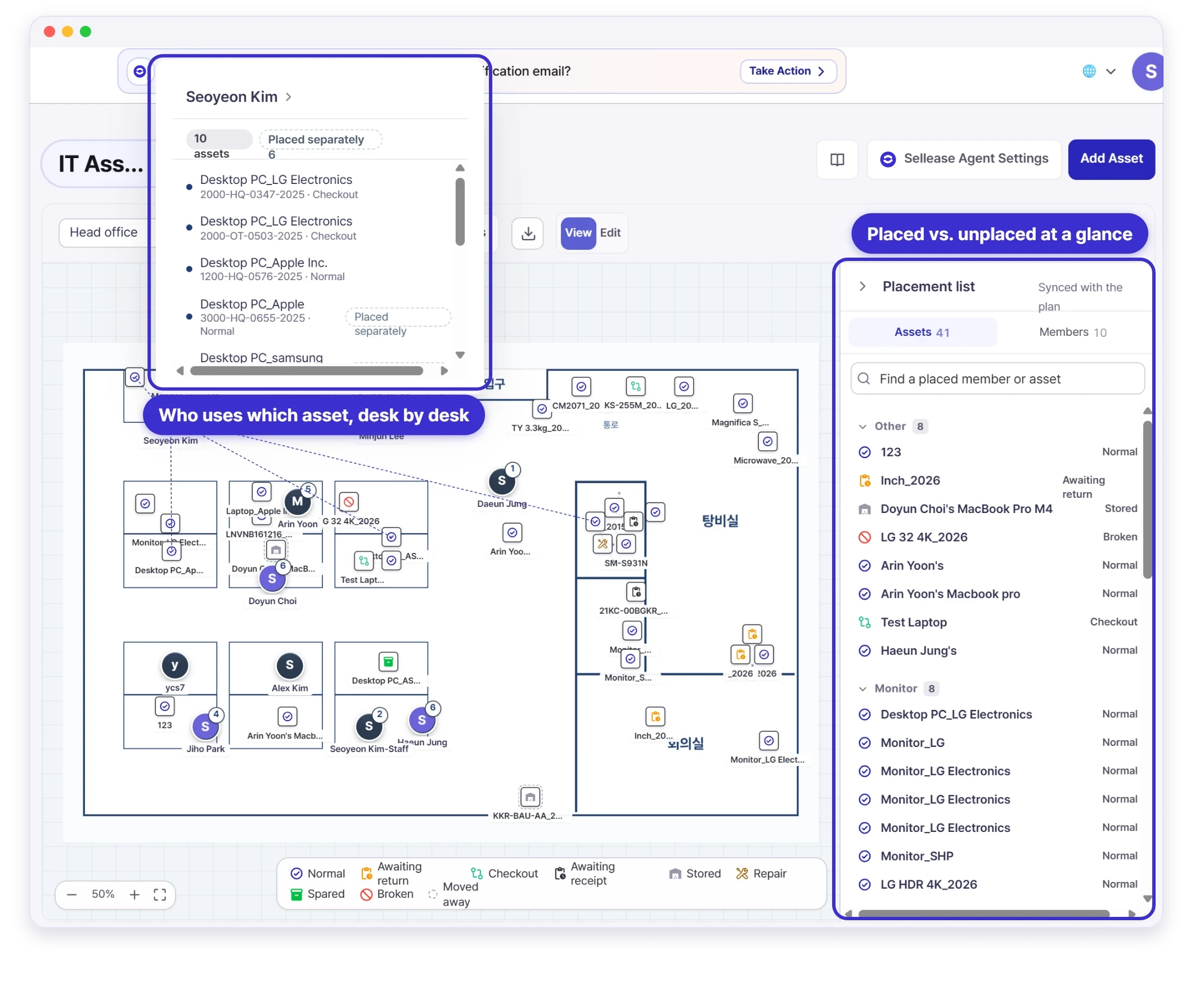
셀리즈 자산 평면도 — 자리마다 누가 어떤 자산을 쓰는지, 배치·미배치 현황까지 한눈에
Sellease floor plan — who uses which asset at each desk, with placed and unplaced counts
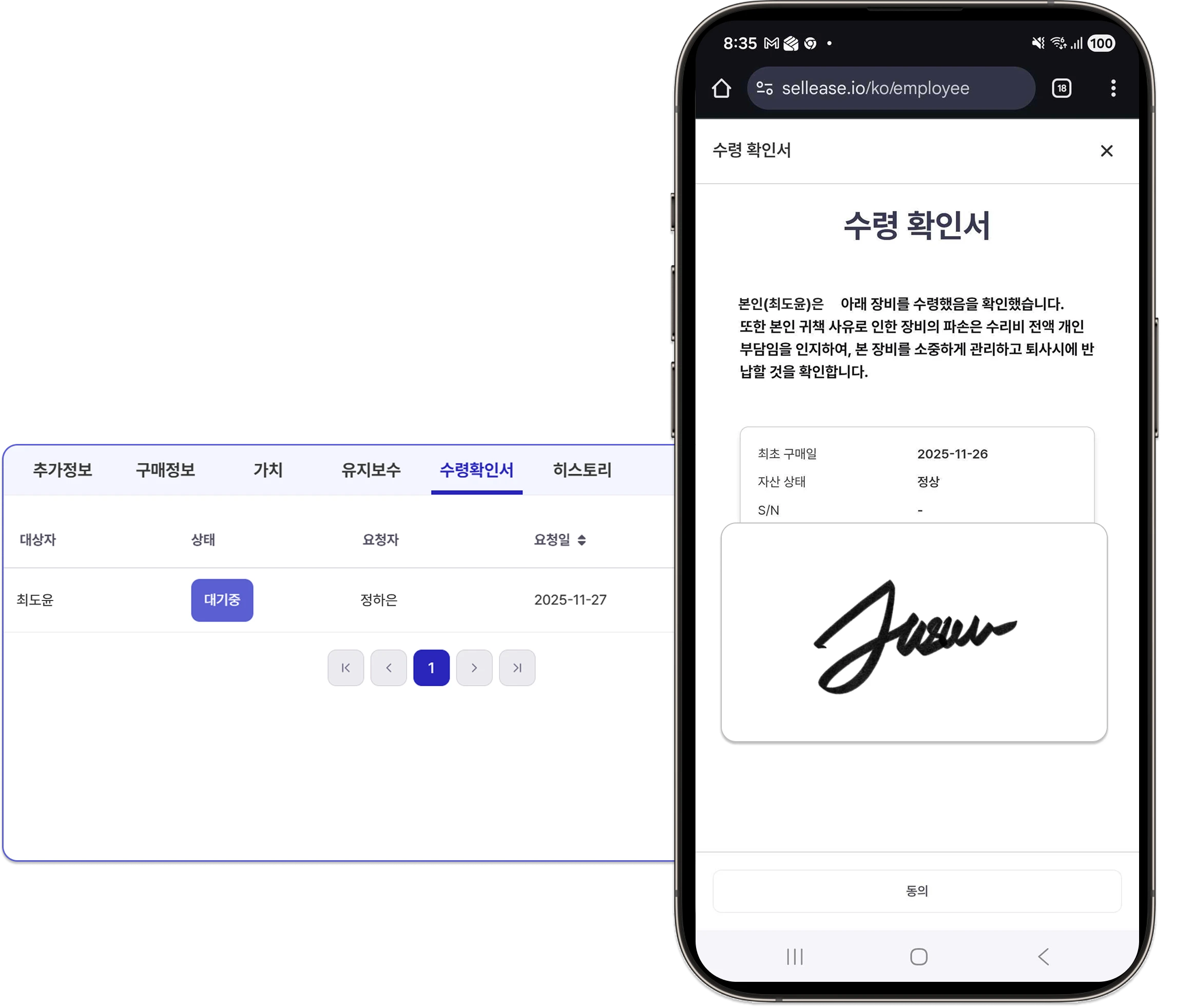
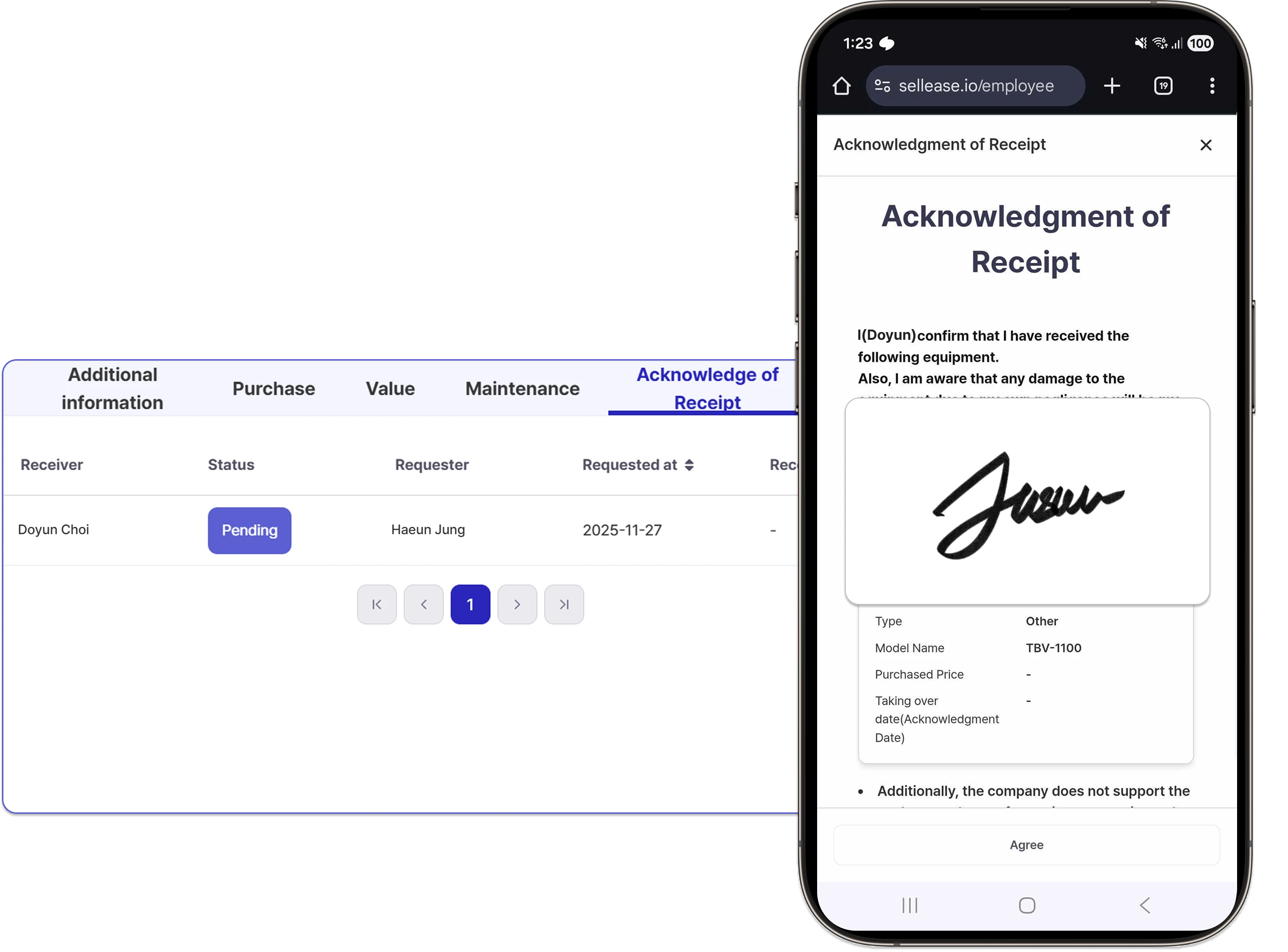
셀리즈 자산 인수인계 확인서 — 지급·반납 시 전자서명으로 기록
Sellease asset handover acknowledgment — issue and return recorded with an e-signature

Day one: hand over equipment with a single link

No more printing receipts and chasing signatures. Send a handover link, employees e-sign on their phones, and the record is saved to the asset history automatically.

Borrow and return with one QR scan

Lend shared equipment and test devices by QR scan, with every checkout logged automatically. Overdue items trigger reminders, so you buy less new gear.
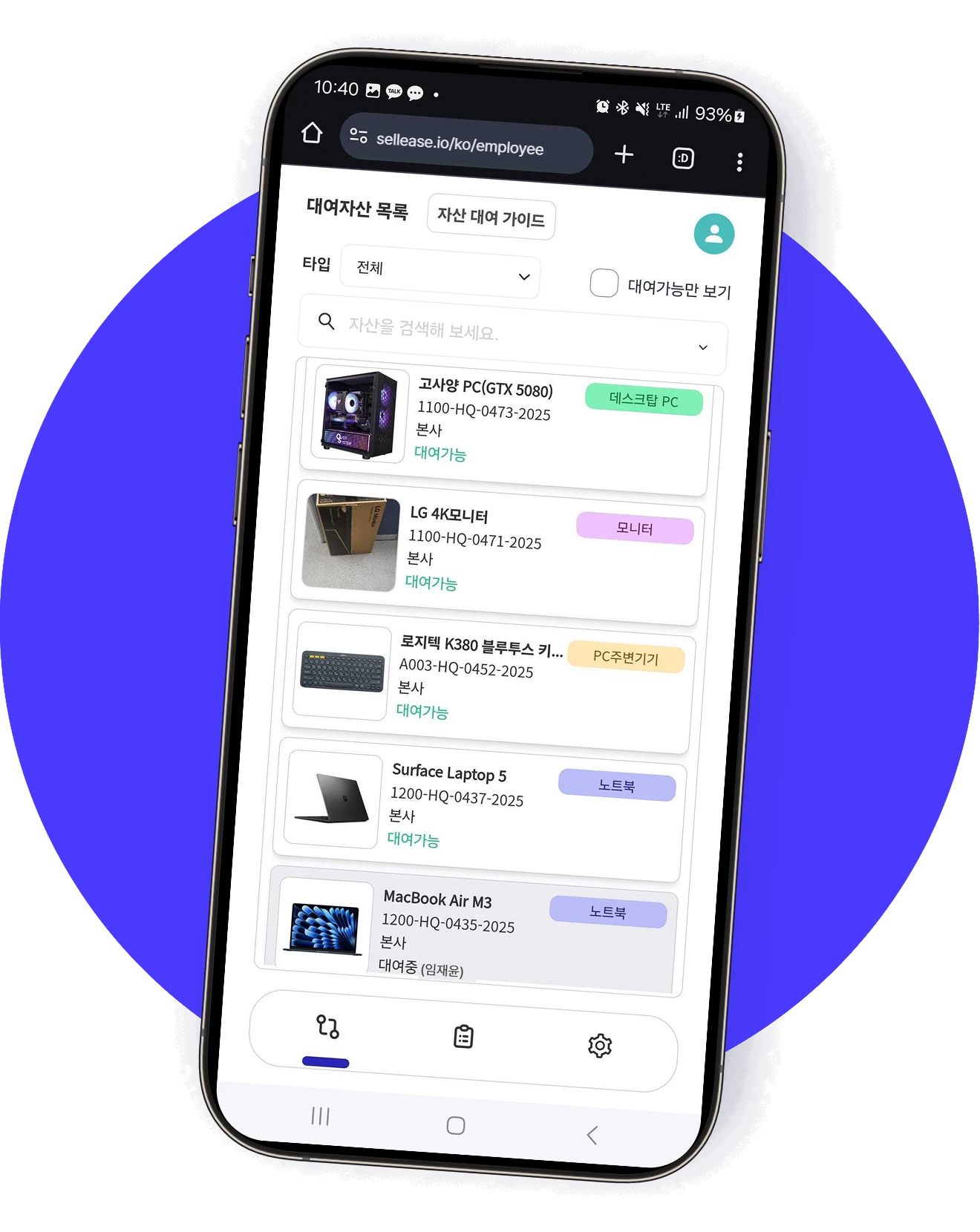
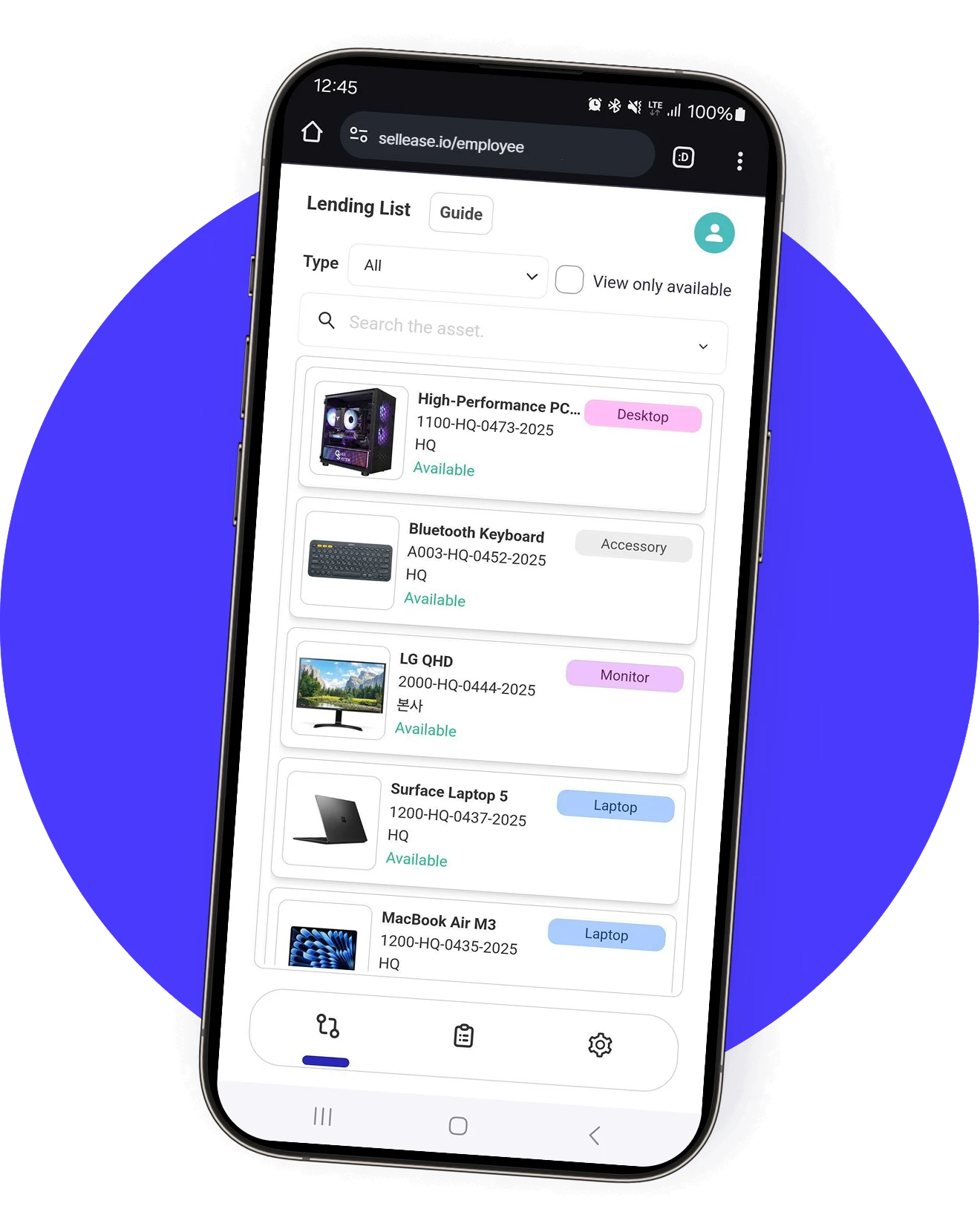
셀리즈 자산 대여 — 모바일로 대여 신청부터 반납까지 관리
Sellease asset lending — from mobile request to return
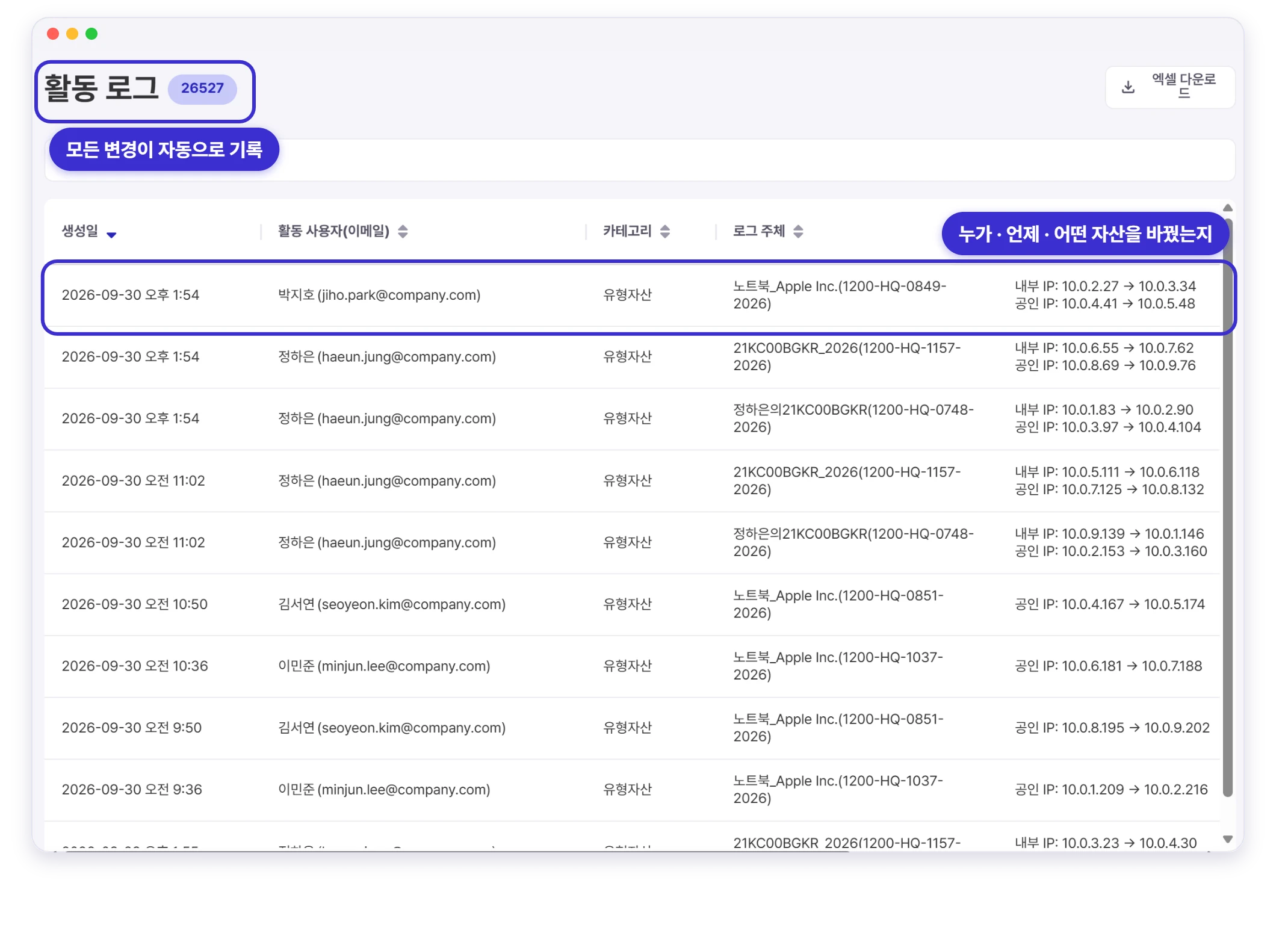
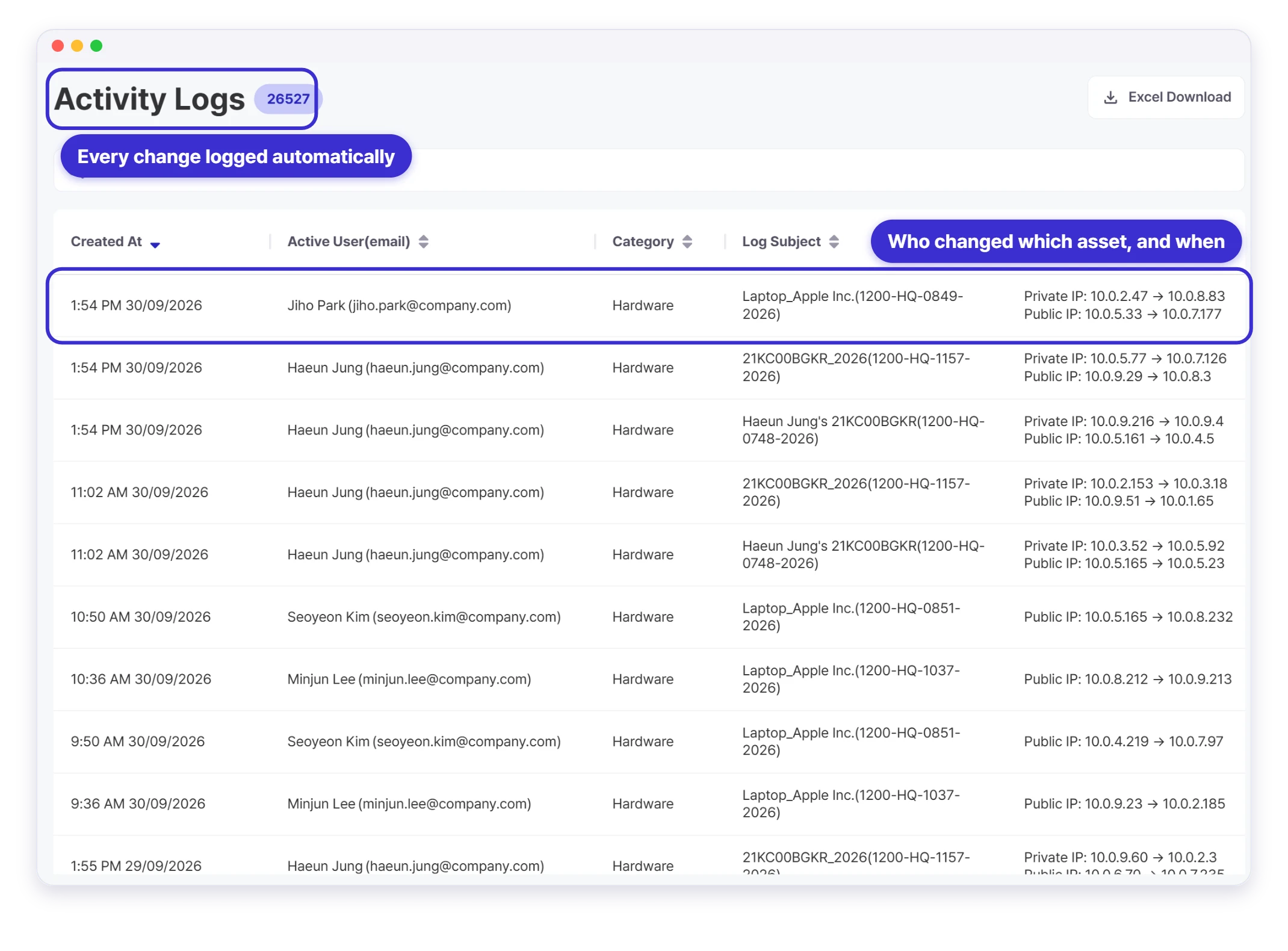
셀리즈 활동 로그 — 누가·언제·어떤 자산을 바꿨는지 자동 기록
Sellease activity log — every asset change recorded with who and when

Every asset keeps its own history

Creation, edits, QR scans and user changes: every action on every asset is logged automatically, so audits and handovers rest on a clear record.

One asset ledger, the right list for every team

IT sees laptops and monitors, General Affairs sees shared equipment, Finance sees the assets on its books — all from the same ledger. Saved list filters show each team only the assets it needs, so there are no spreadsheets to reconcile between departments. Set company-standard filters for every admin, share filters with your team, and pin the ones you use most to the sidebar.
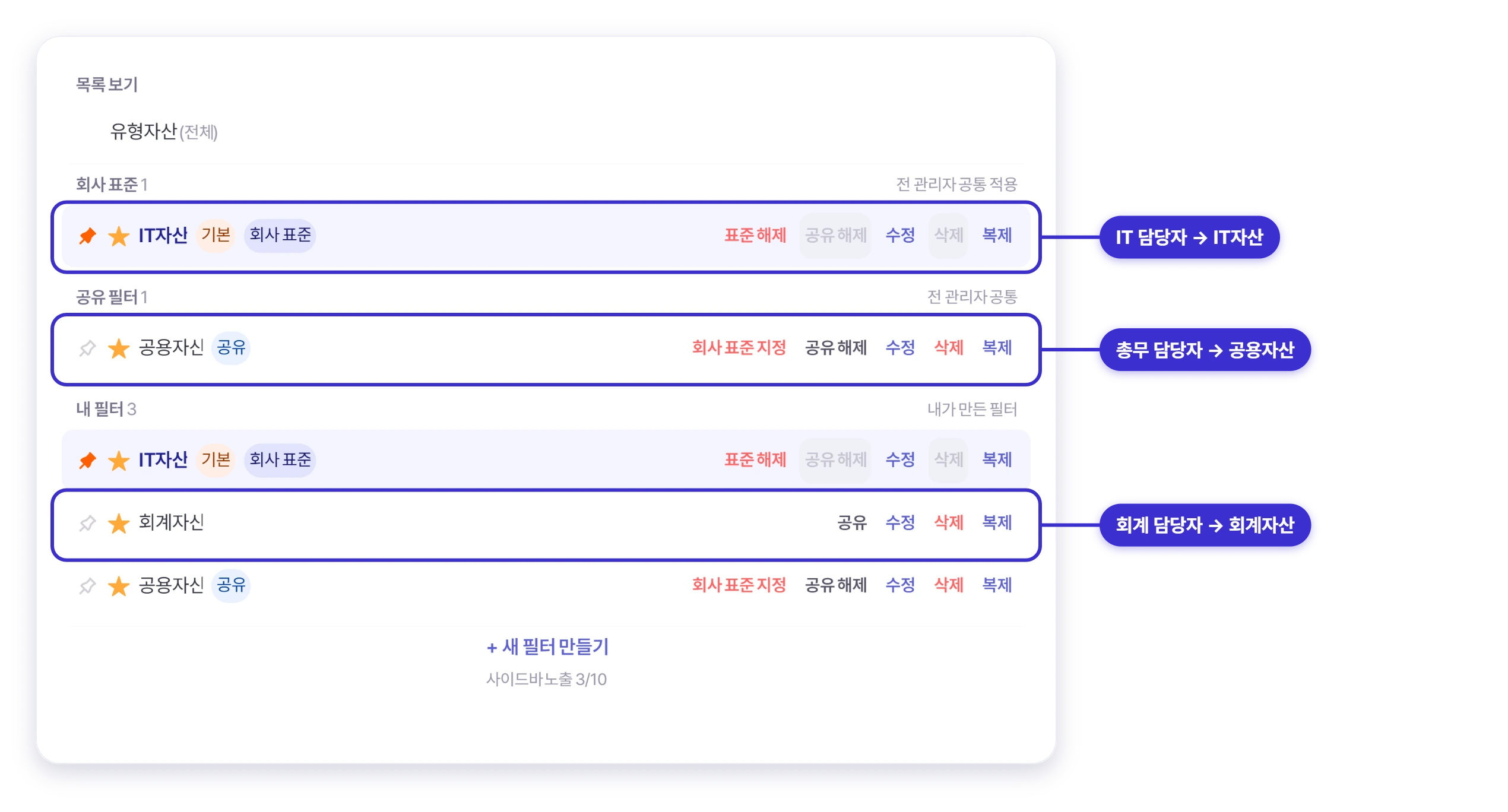
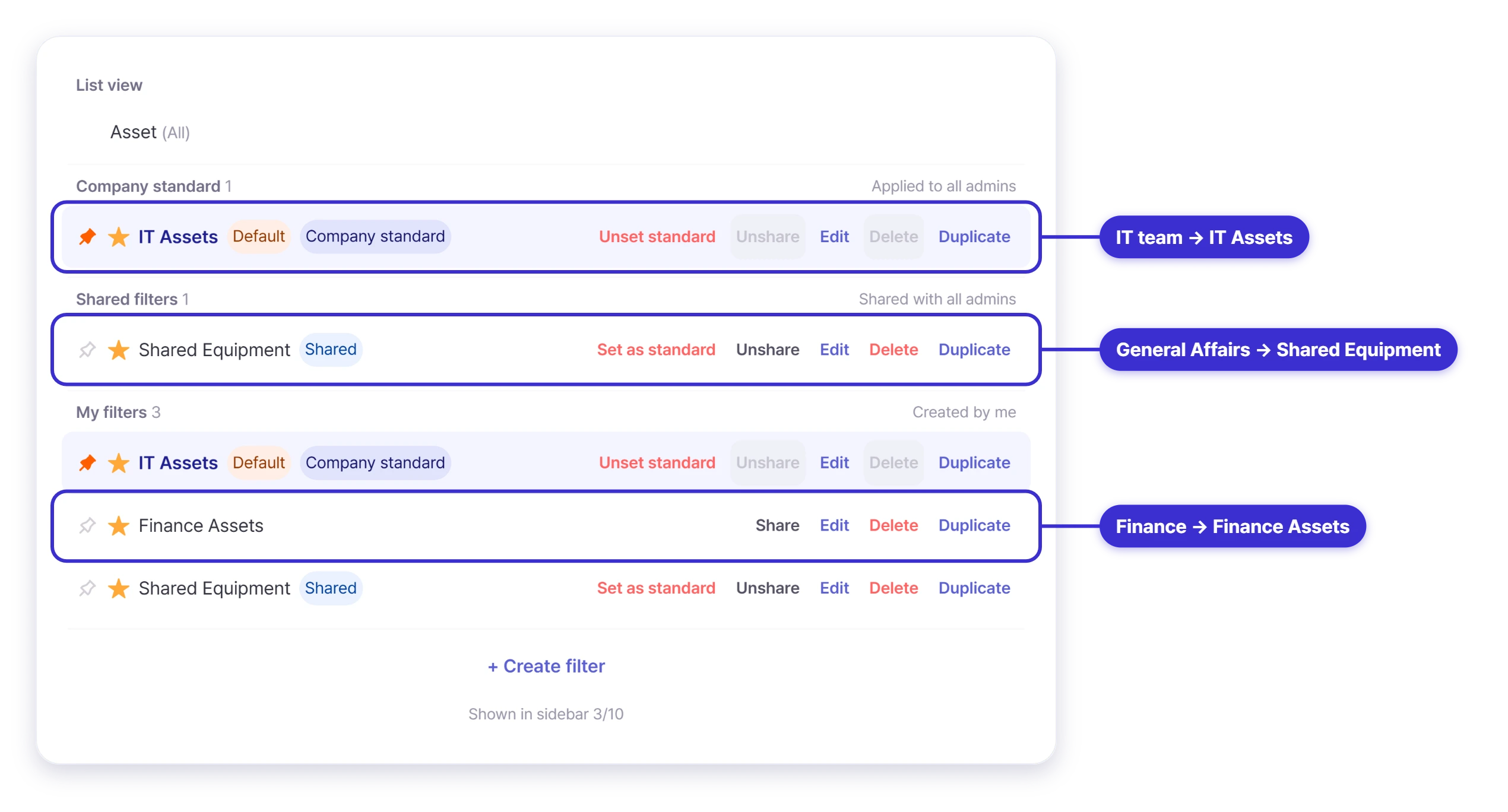
셀리즈 유형자산 목록 필터 — IT담당자는 IT자산, 총무는 공용자산, 회계는 회계자산을 하나의 원장에서 조회
Sellease saved list filters — IT sees IT assets, General Affairs sees shared equipment, Finance sees finance assets, all from one ledger

Is your asset register still in a spreadsheet?

From photo registration to QR audits and depreciation, start with your own assets today.

QR Print

Automatic depreciation, straight into your ERP

Enter the acquisition cost and useful life, and depreciation and book value are calculated automatically. Connect SAP or Douzone ERP to sync acquisitions, transfers and disposals without double entry.
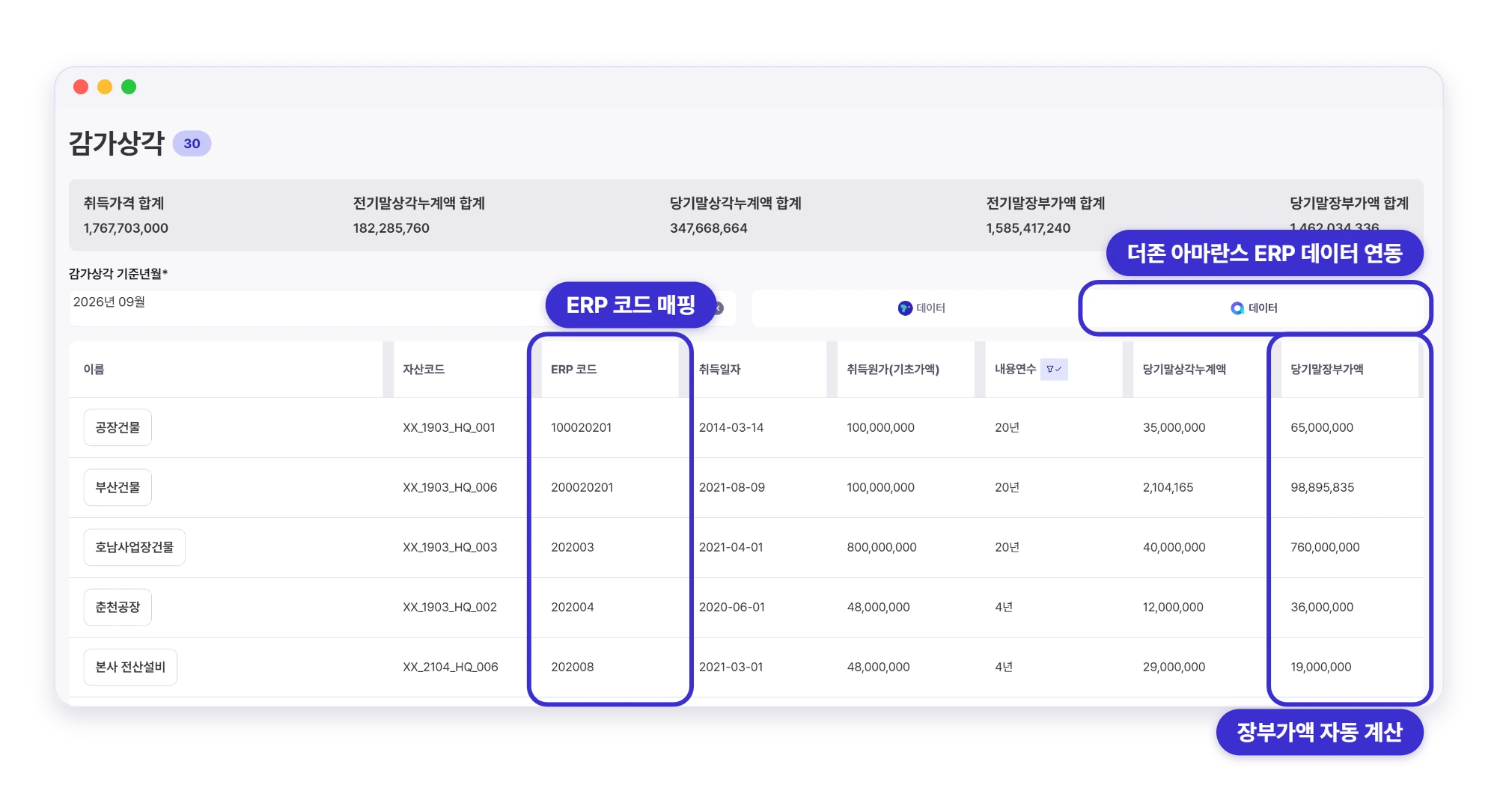
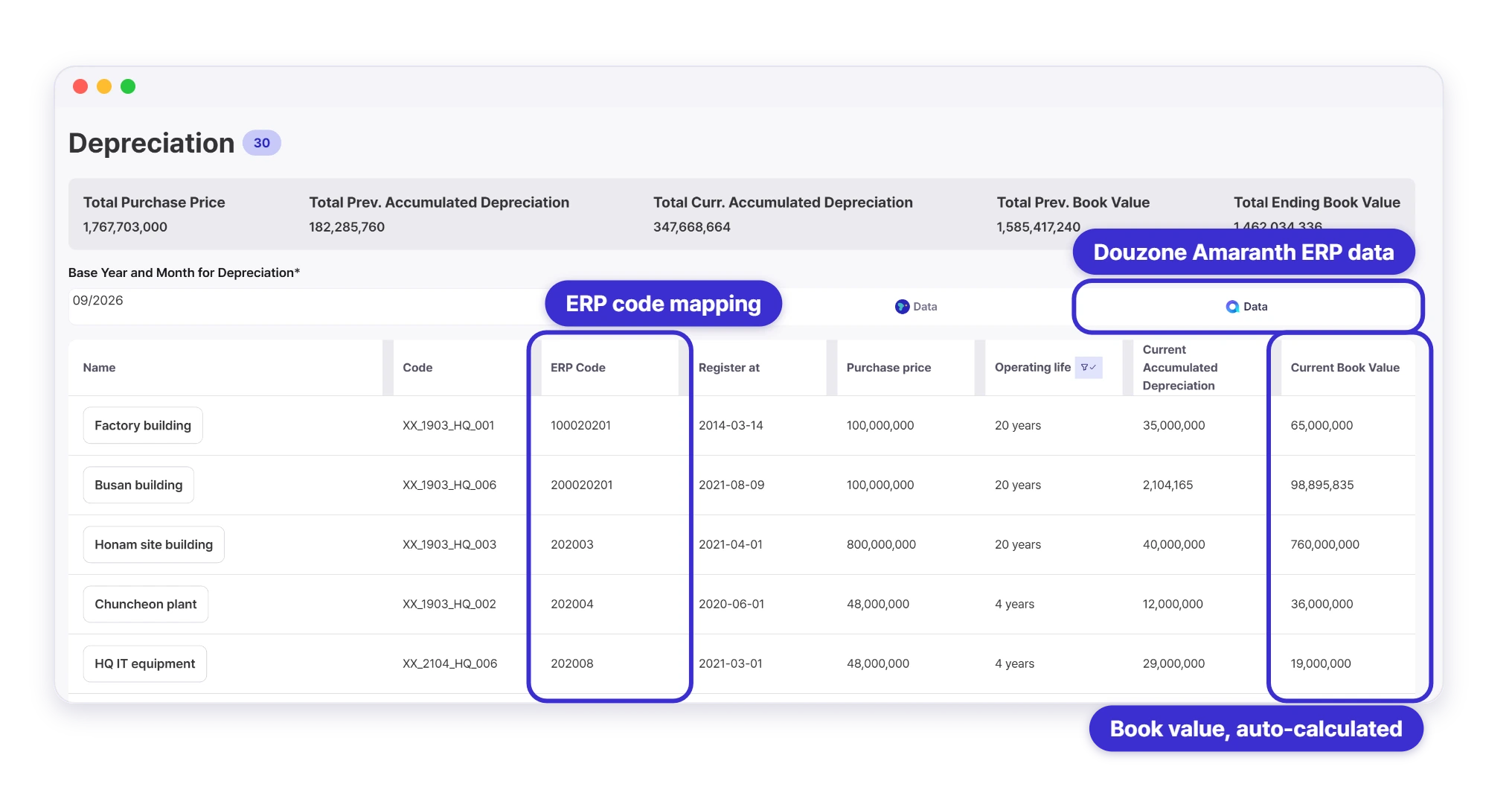
더존 아마란스 ERP 데이터와 연동된 감가상각 화면 — ERP 코드와 장부가액 자동 계산
Depreciation schedule with ERP codes and book values synced from Douzone Amaranth ERP
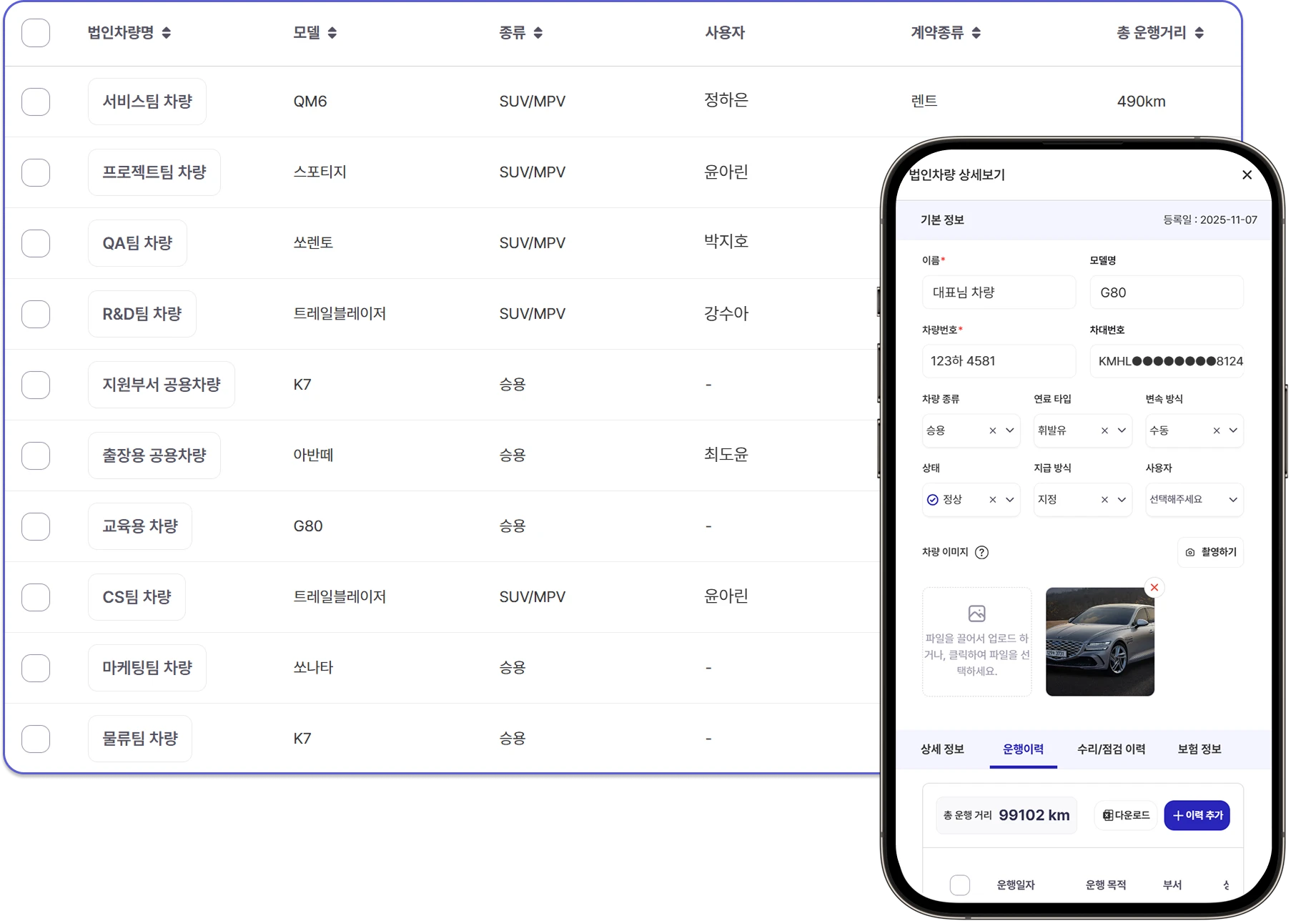
셀리즈 법인차량 관리 — 차량 정보와 운행·관리 이력을 한 화면에서
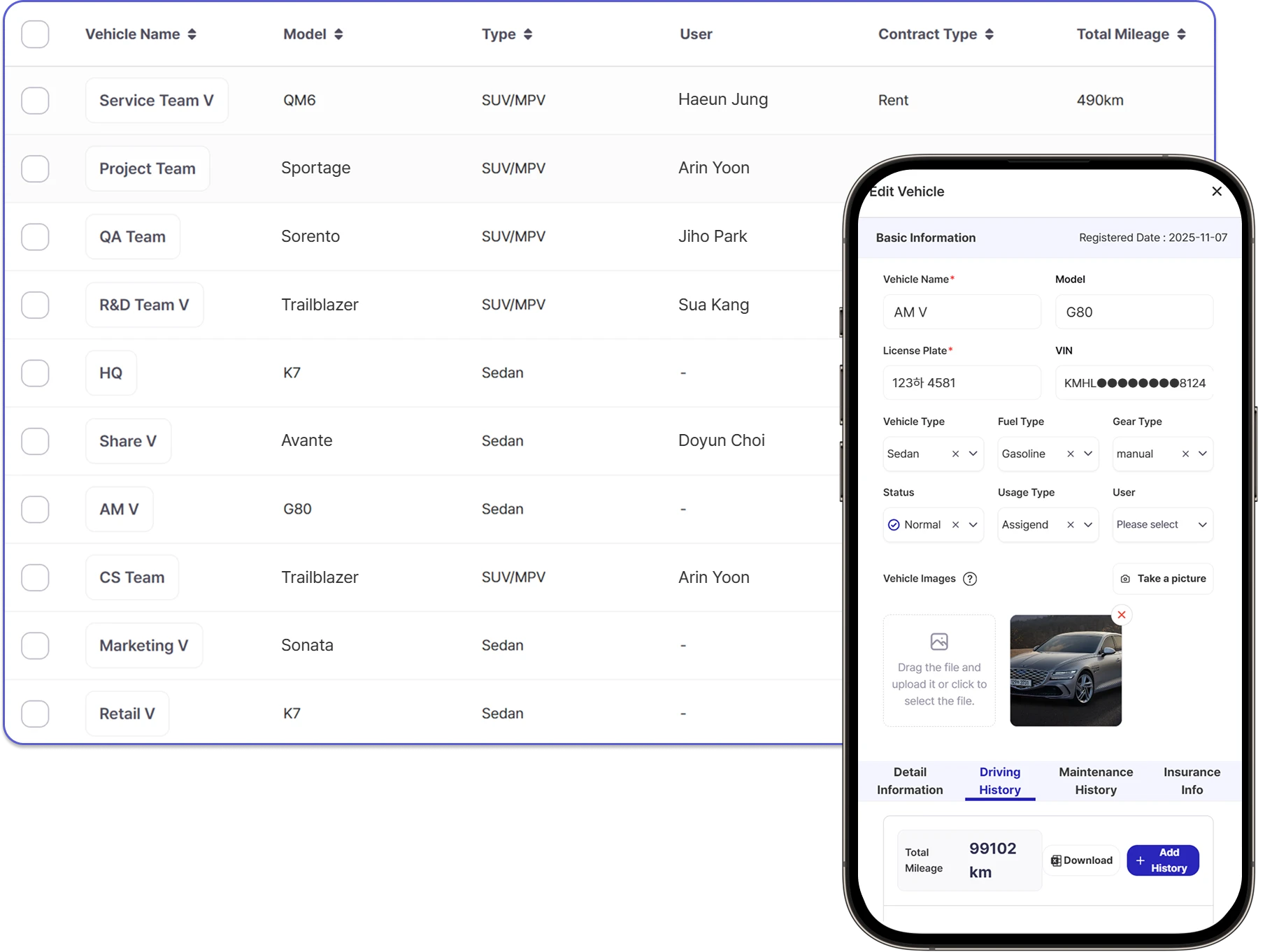
Sellease corporate vehicle management — vehicle details and history in one view

Corporate Vehicle Management, Simplified

Generate driving logs automatically and download tax-ready reports in one click. Manage vehicle usage, maintenance and insurance for your corporate fleet in one place.

Turn idle IT assets into cash in 7 days

Selling unused assets takes just a few clicks with Sellease. Get paid quickly without complex paperwork, and put your equipment back to work at companies that need it.

Storage IT Asset

Trade spreadsheets for Sellease

From one-photo registration to QR audits and depreciation. Get started for free.

Without risk of end