
In today's business environment, software asset management has become essential. Software assets affect many parts of running a company, from productivity to security and risk management. But managing a growing software portfolio efficiently while also cutting costs means meeting a wide range of requirements.
SELLEASE tackles this challenge with a solution that helps companies manage their software assets effectively and eliminate unnecessary spending. Let's take a closer look at the software asset management features SELLEASE provides.
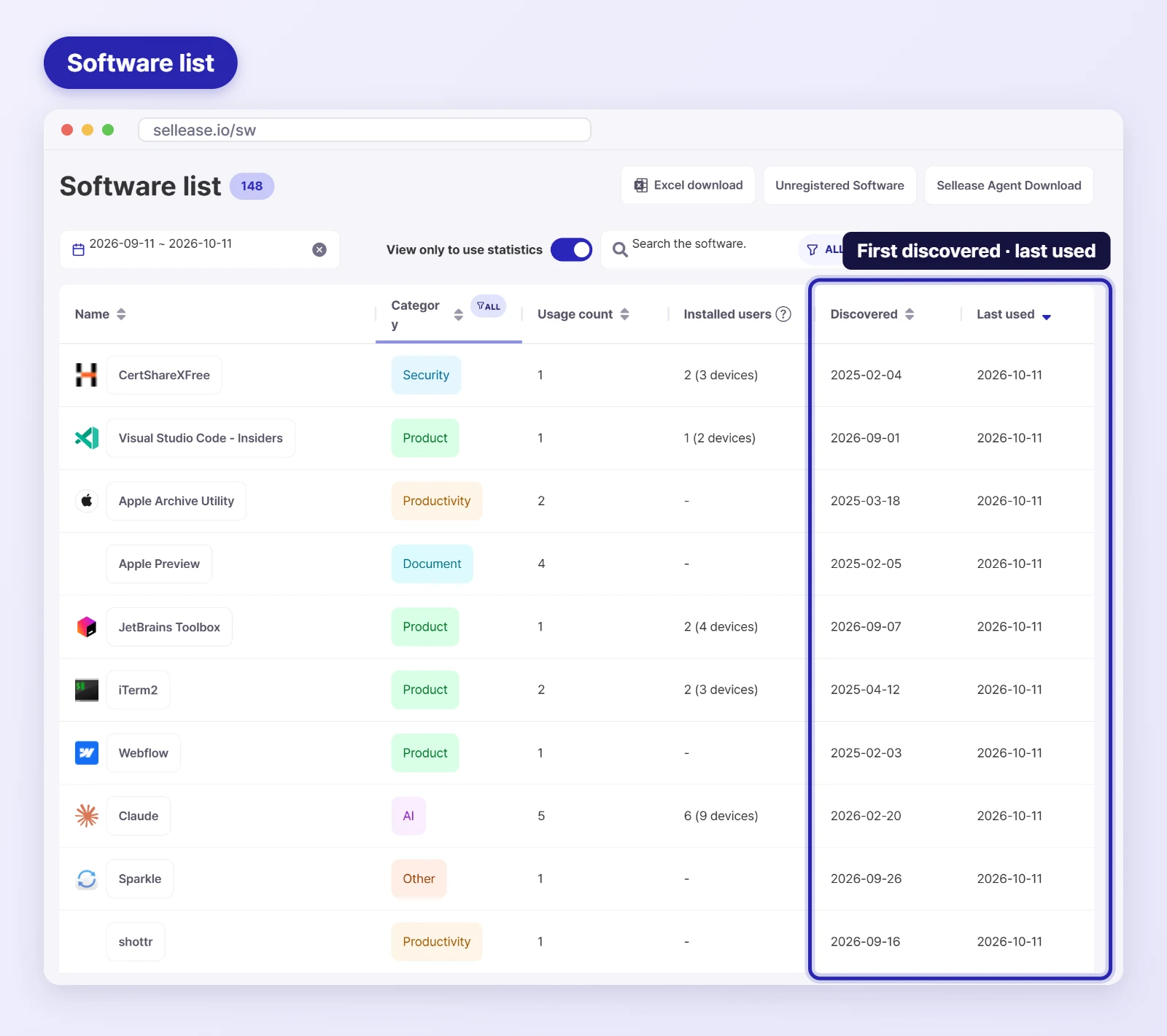
SELLEASE uses a PC agent to automatically collect data on how employees use software. It captures usage of every kind of software running on Windows and Mac and presents it so administrators can see everything at a glance.
Usage history such as the date each application was first discovered and when it was last used is easy to track, giving asset managers a complete, single view of all the software in use across the company.
Once installed, the PC agent runs automatically. Rather than polling software usage at fixed intervals, it detects the events the operating system fires when the user switches between applications, so it is designed not to affect PC resources.
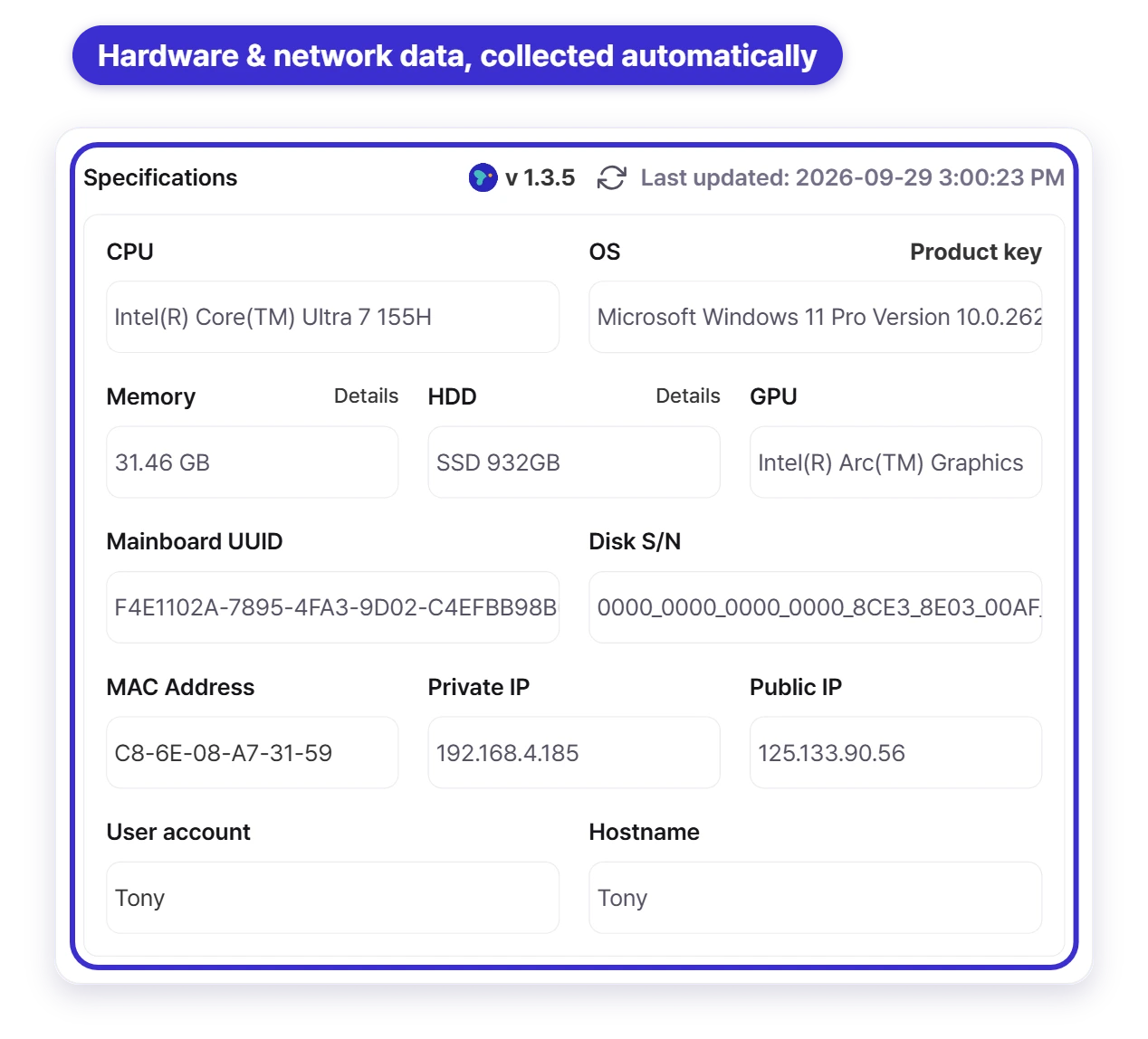
In addition, many SaaS management platforms rely on Google account permissions, which means they can't measure anything if your company doesn't use Google Workspace. SELLEASE does not depend on Google Workspace, so it works across operating systems and a wide range of work environments.
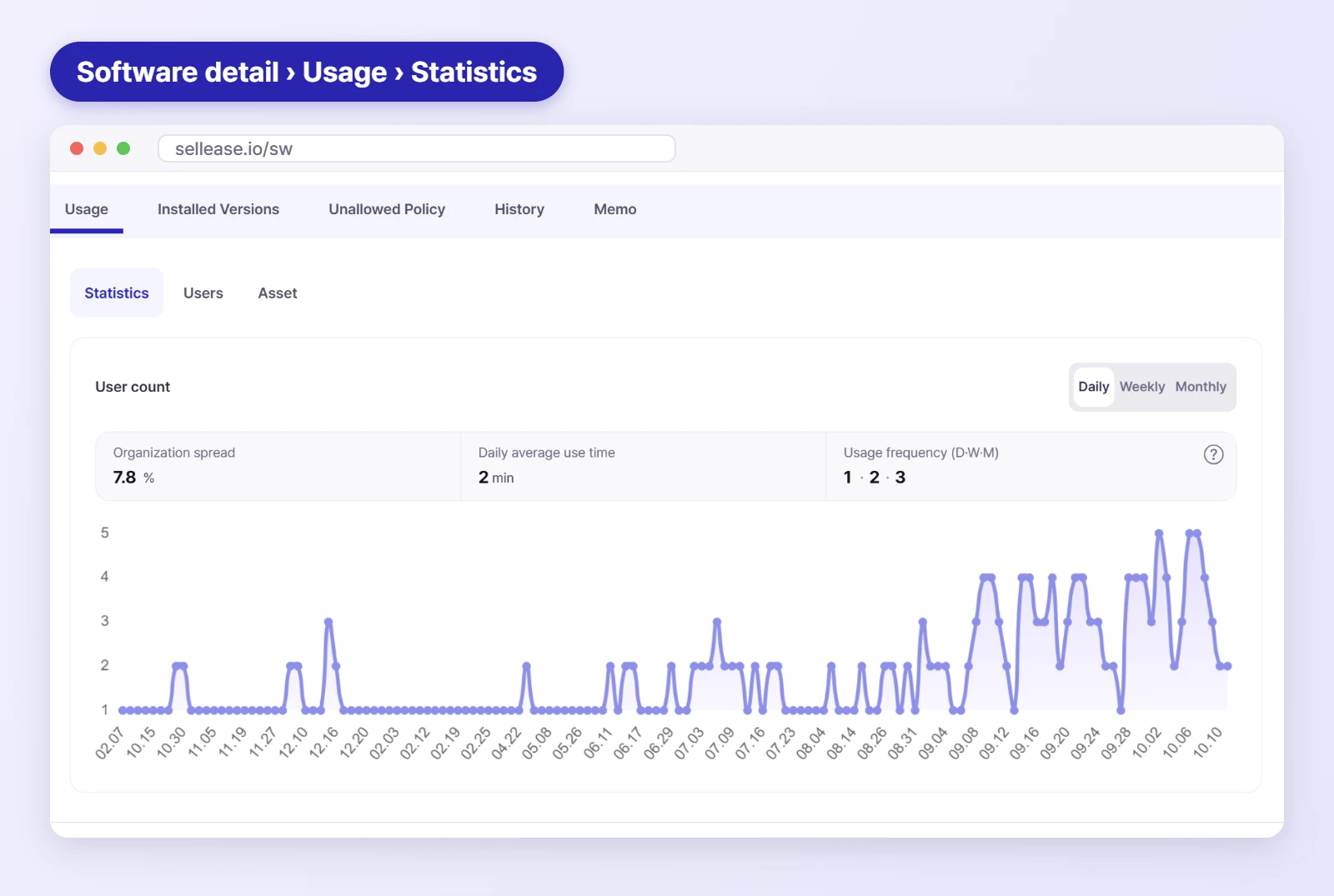
SELLEASE collects data on how much each application is actually used. This goes beyond simply checking whether software is used: it provides daily, weekly, and monthly active users, average daily usage time, and how widely the software has spread across the organization. With these metrics, you can understand how both newly adopted software and existing business systems are being used, and measure the ROI of your IT investments.
As SaaS adoption grows, companies increasingly need to investigate actual usage. When the number of licenses requested doesn't match real usage, money gets wasted. In one interview, an IT manager at a financial institution told us they held several hundred Notion licenses, yet an asset audit revealed a gap of more than 3x between requested demand and actual usage.
With SELLEASE, you can see exactly how often a given application is used each day, how many people use it each week, and how many minutes it is used on average per day, so you can quickly identify unnecessary software and act on it right away.
Many software licenses are free for individuals or educational institutions but paid for commercial use. When employees quietly use such software at work under a personal email account, the company can end up receiving a notice for unlicensed software use. Using unlicensed software in a business is clearly illegal and can lead to penalties under the law.
Under Korea's Copyright Act, for example, illegal use of software constitutes copyright infringement and can result in criminal prosecution or civil lawsuits. Violations can carry up to five years in prison or a fine of up to 50 million won (roughly USD 36,000), and rights holders can also seek civil damages.
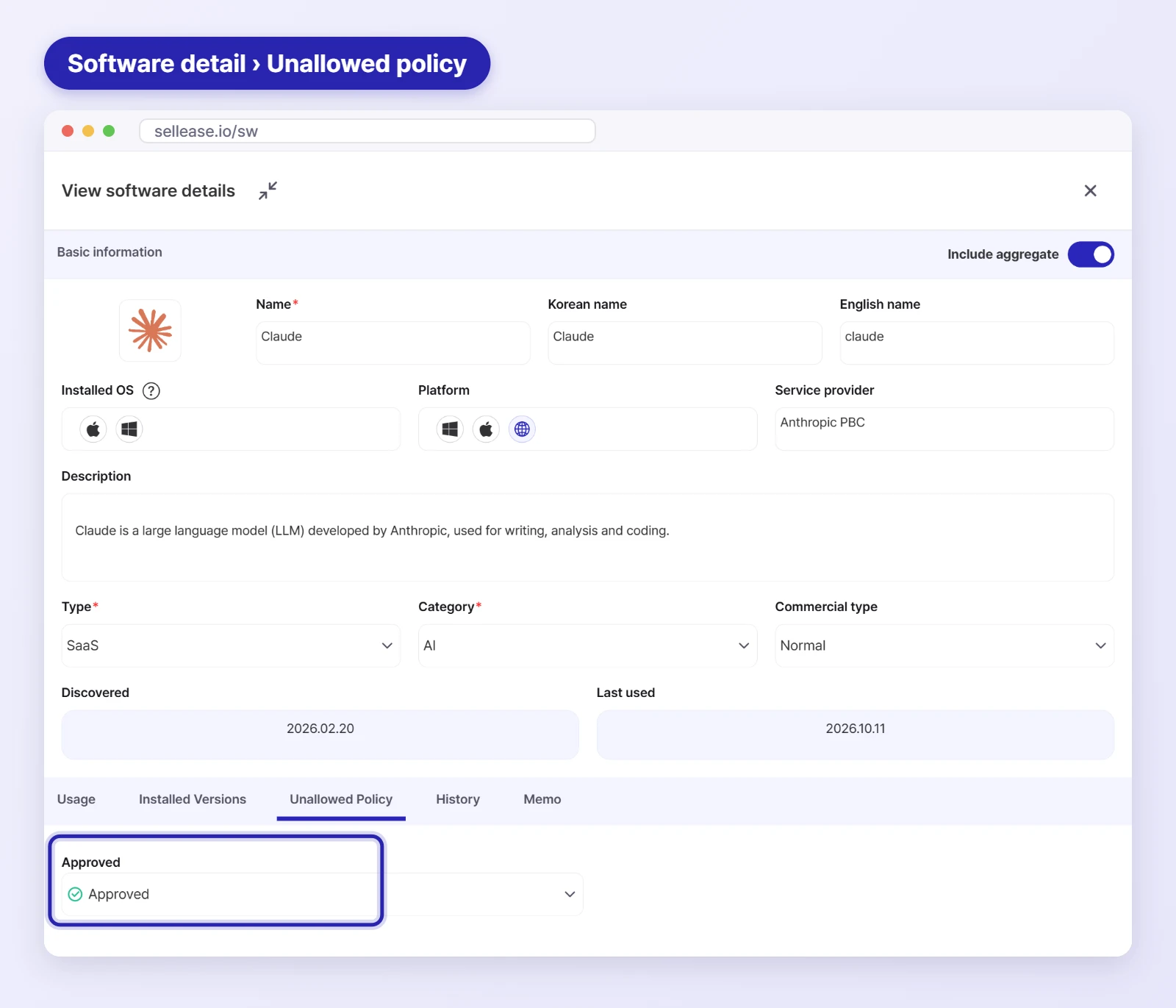
To prevent unlicensed software use, companies need to maintain a blacklist and block those applications from running. SELLEASE monitors every type of software, and when an application is registered as unauthorized, it blocks that application from running, helping you minimize legal risk.
Software asset management is about more than knowing which programs are in use. It has a major impact on cost reduction and on minimizing legal risk. SELLEASE is an innovative tool that collects software usage data in real time, cuts unnecessary software costs, and helps you manage the risk of unlicensed software use.
SELLEASE's PC agent accurately measures software usage in Windows and Mac environments and uses SaaS usage data to help you optimize the IT assets across your organization. Based on that usage data, companies can reduce costs, clearly separate the licenses they need from the software they don't, and lower the risk of unlicensed software use.
SELLEASE is a powerful tool for achieving real cost savings in the complex process of asset management, and an essential building block for an efficient IT environment going forward. If you have any questions, contact us today to learn more.

