Manage All Your Company Subscriptions and Rentals in One Place with SELLEASE
2024-11-03
tony
All Your Company's Subscriptions and Rentals in One Place with SELLEASE ✨
Hi there! This is the SELLEASE Customer Success team 😊
Today we'd like to introduce the Subscriptions/Rentals feature in SELLEASE. SELLEASE helps companies manage all kinds of assets easily from a single place, and the Subscriptions/Rentals feature in particular lets you manage everything your company uses, from SaaS services and office equipment to IT devices and even vehicles, in one unified view. Let's walk through why you need this feature and how it can help your business! 🎉
1. Why Does Subscription and Rental Management Matter? 🤔
As companies rely on more and more subscription services and rented assets, managing them efficiently is becoming increasingly important. SELLEASE makes this process easy, helping you get more out of your assets and cut costs.
Cost savings: Subscriptions and rentals generate recurring monthly costs, so if you lose track of assets nobody is using, unnecessary spending quietly piles up 💸. Use SELLEASE to check whether your subscriptions and rented assets are actually being used, keep only what you truly need, and build an optimized asset portfolio!
Efficient operations: When different assets are managed on different platforms or by different people, it's hard to see the full picture. SELLEASE brings every asset onto a single platform so you can check the status and spending of each one at a glance 📊.
Risk management: Miss a renewal or expiration date, and a critical service may suddenly stop or unexpected charges may appear ⏰. With SELLEASE expiration alerts, you can see upcoming expiration dates in advance and plan ahead.
2. Managing All Subscriptions and Rentals in One Place with SELLEASE 📋
SELLEASE is designed to bring all of your company's subscriptions and rented assets together in one place. Let's look at what kinds of assets you can manage and how to register them!
2.1 Types of Assets You Can Manage
SELLEASE supports a wide variety of asset types 📦. From SaaS services to office equipment and IT devices, you can manage every asset your company uses.
SaaS and subscription services: Manage all the SaaS services your company uses, such as Slack, Adobe, and Microsoft Office, in one place and easily track usage and costs 📈.
Office and industrial equipment: Manage not only office equipment like printers and copiers, but industrial equipment as well.
IT devices and vehicles: Manage IT assets like laptops and desktops, and even vehicle rentals 🚗. You can also anticipate maintenance schedules and replacement cycles ahead of time.
2.2 How to Register a Subscription or Rental
Registering an asset in SELLEASE is really simple!
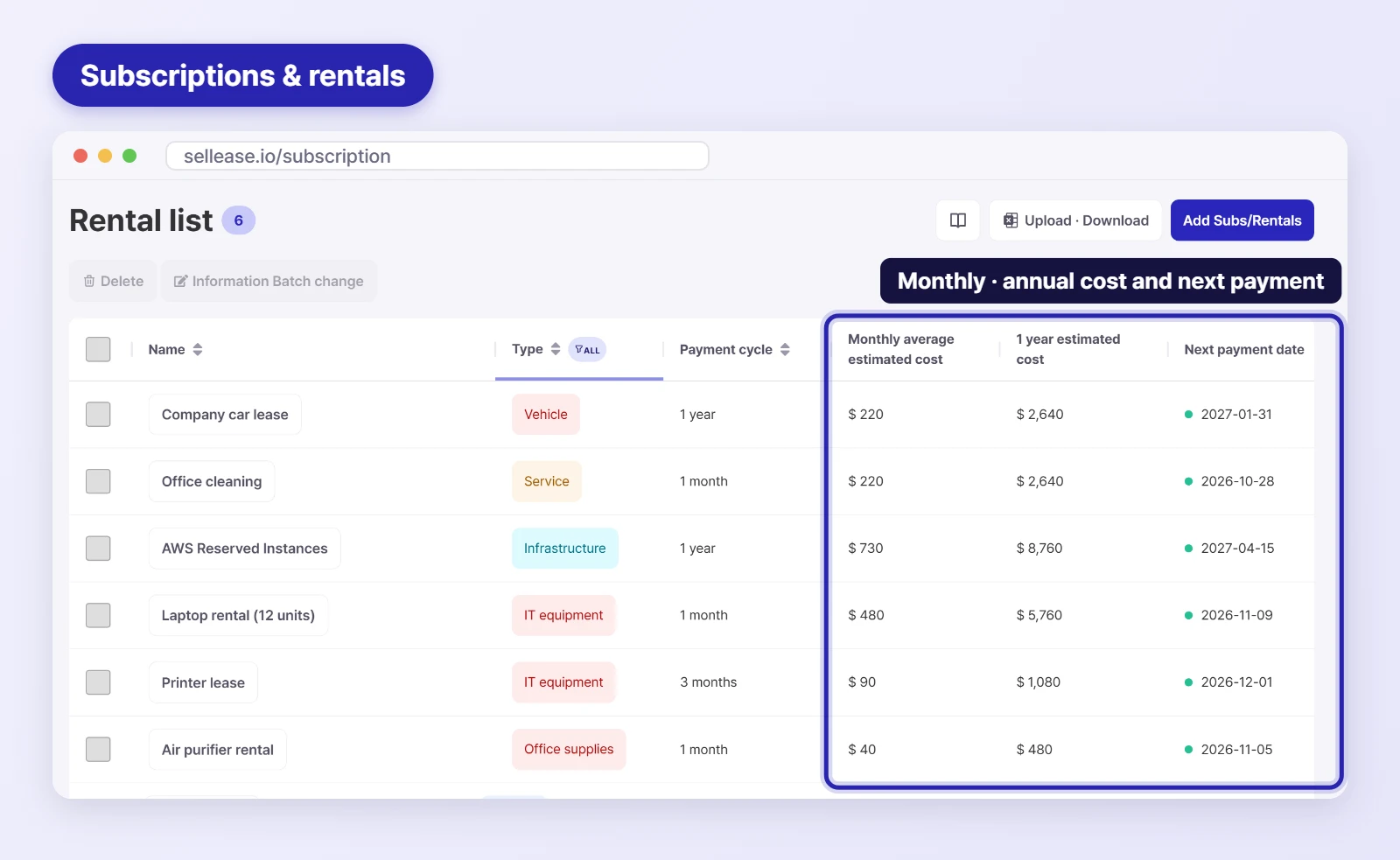
Subscriptions/Rentals management screen
Add the asset: Select the Subscriptions/Rentals tab in the left-hand menu. Then click the Add Subscription/Rental button in the top-right corner and enter basic information about the subscription service or rented asset, such as its name and type, the vendor or manufacturer, the vendor's contact details, and the person responsible for the asset.
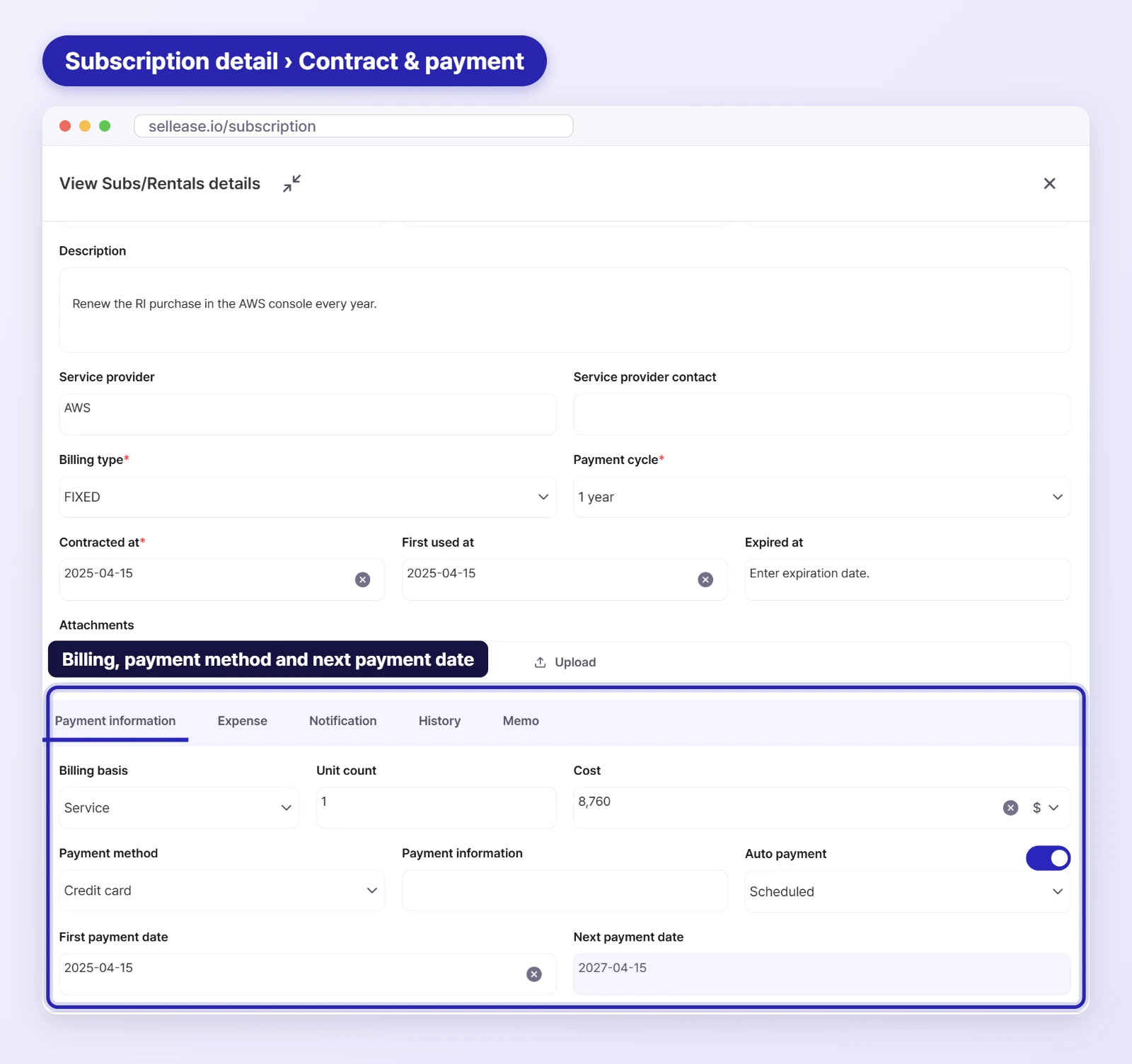
Contract and payment details: Enter your contract and payment details accurately to see projected costs. There are two billing types: flat-rate and usage-based. Flat-rate means a fixed cost every month, while usage-based means you pay for what you use. In short, if the cost is the same every month, choose flat-rate; if it varies, choose usage-based! Then enter the billing cycle, cost basis, contract date, and so on 📌.
Enter costs: Now it's time to record what you've actually spent on this subscription or rental. Click the subscription or rental you just registered and scroll down to the Costs section. Enter the payment date and amount, and a chart is generated automatically.
Contract and payment details
With ease of use in mind, SELLEASE keeps the registration process simple with very few required fields, and you can edit and update every field from one place. Manage your assets easily, without the hassle 😊.
3. See All Your Assets at a Glance on the SELLEASE Dashboard 👀
The SELLEASE Dashboard is designed to show all of your subscription and rental assets and your monthly spending at a glance. Let's look at the key features!
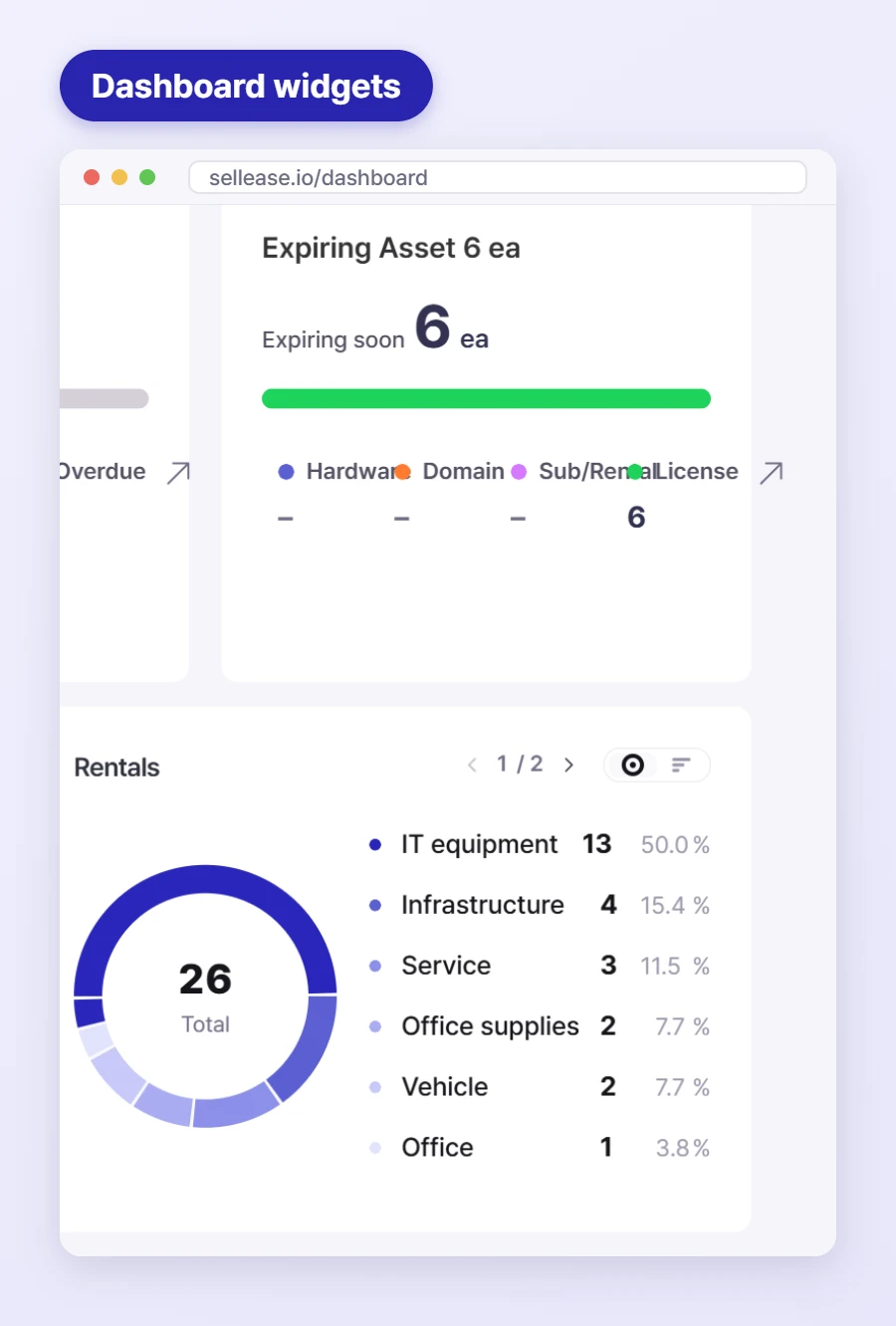
Subscriptions/Rentals on the Dashboard
3.1 Real-Time Asset Status and Spending
Asset status: See each asset's usage and contract expiration status at a glance, so you can get more value from your assets and reduce unnecessary spending 📉.
Spending visualization: Monthly and annual spending is shown in charts, making it easy to see whether you're over budget and where costs are coming from 📊.
3.2 Alerts and Notifications
Renewal alerts: Get alerts based on each renewal cycle so you never miss a contract end date and can prepare in advance ⏰.
Change alerts: Get notified immediately when a service price changes or a new contract starts, so your records always stay up to date 📬.
4. Start Managing Subscriptions and Rentals with SELLEASE! 🚀
The Subscriptions/Rentals feature in SELLEASE is a reliable partner that helps you manage your company's assets efficiently from one place. As subscription services and rented assets keep multiplying, systematic asset management has become essential to running a business.
Take your company's asset management to the next level with SELLEASE. Put the right assets where they're needed, cut unnecessary spending, and maximize efficiency with smarter asset management 💼.