
It's late October and an email arrives from Finance: "Please send next year's IT budget by next week." You open last year's file and the software line says only "+10% year over year." Then the questions start. How many design-tool seats did we buy, and how many people actually use them? Were the accounts of the three people who left last month cleaned up? How many SaaS tools are teams paying for on their own corporate cards? 🤔
Once a software budget is set, it runs unchanged for a full year. That makes the two to three weeks before budgeting the best time to cut waste. This post is a step-by-step checklist for IT teams to work through before drafting next year's budget.
The starting point is a complete list of every piece of software the company pays for. In most companies, the problem starts because that list doesn't exist in one place.
For each item, record at least product, license type (subscription/perpetual), quantity, billing cycle, renewal date, owning department and admin account. Those seven columns alone answer half the questions you'll get in the budget meeting. 💡
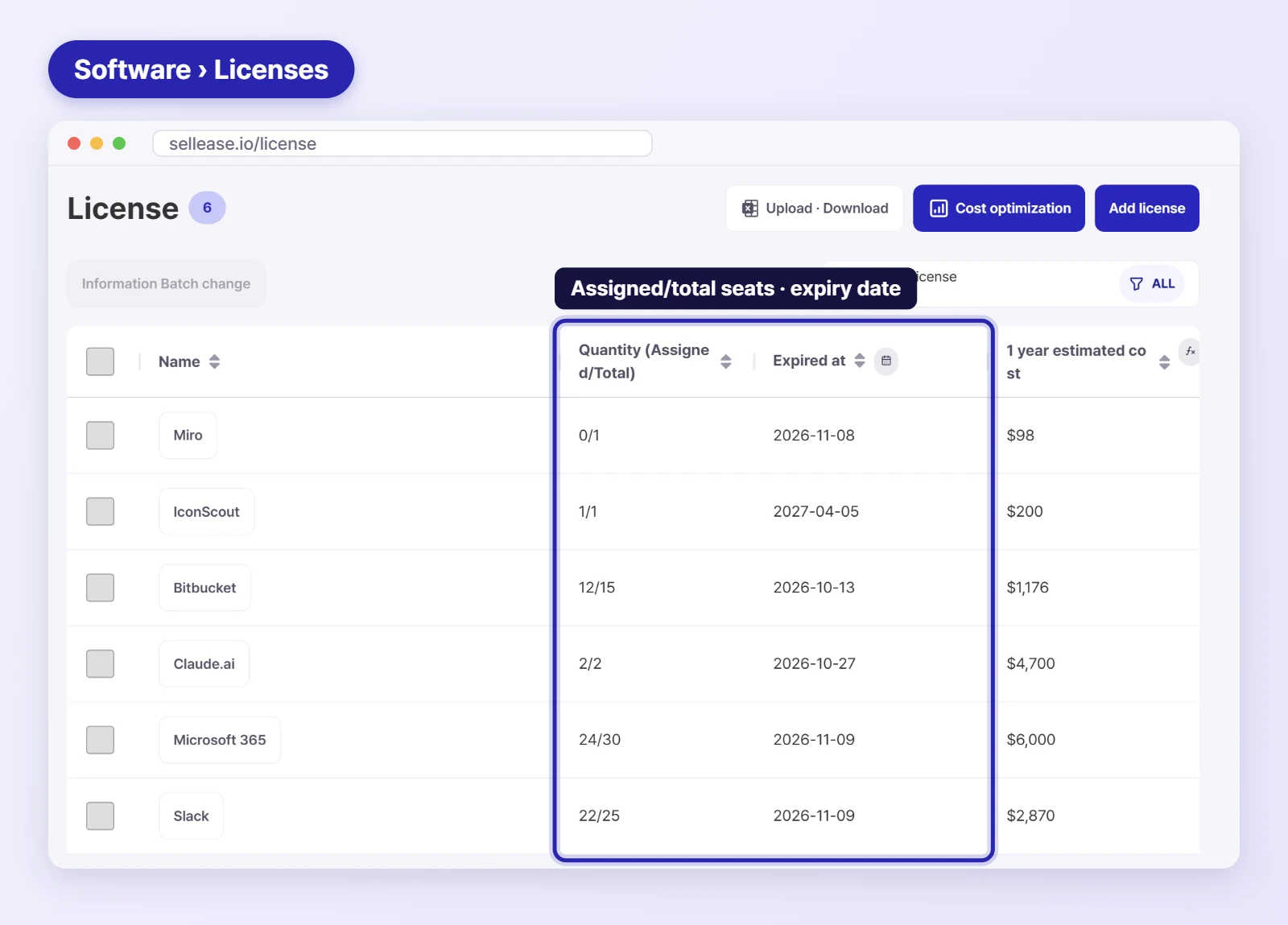
With purchase quantities in hand, match them against actual usage. Three patterns usually show up.
Software installed on PCs with no launches for months. You can't find these by checking installs alone; you need run time and last-used date.
SaaS accounts still assigned to people who have left, are on leave or changed teams. Put the HR roster next to the account list and they stand out immediately.
Different teams using different products for video calls, shared docs or design. Consolidating cuts seats and gives you negotiating leverage.
Criteria vary by company, but setting one rule, for example "no launches in the last 90 days", and flagging those licenses as reclaim candidates speeds up every later discussion.

Many SaaS contracts auto-renew by default. If you only notice after the renewal date, you may be paying for another full year. 😱
Add next year's plans to the cleaned-up picture and you have a budget backed by evidence.
A budget that shows "quantity × unit price per product, and seats reduced through reclaiming" is far more persuasive than "X% over last year."
A spreadsheet cleaned up once drifts out of date within three months. People join and leave, and teams sign up for new tools. So the last step is building a setup where the picture updates itself.
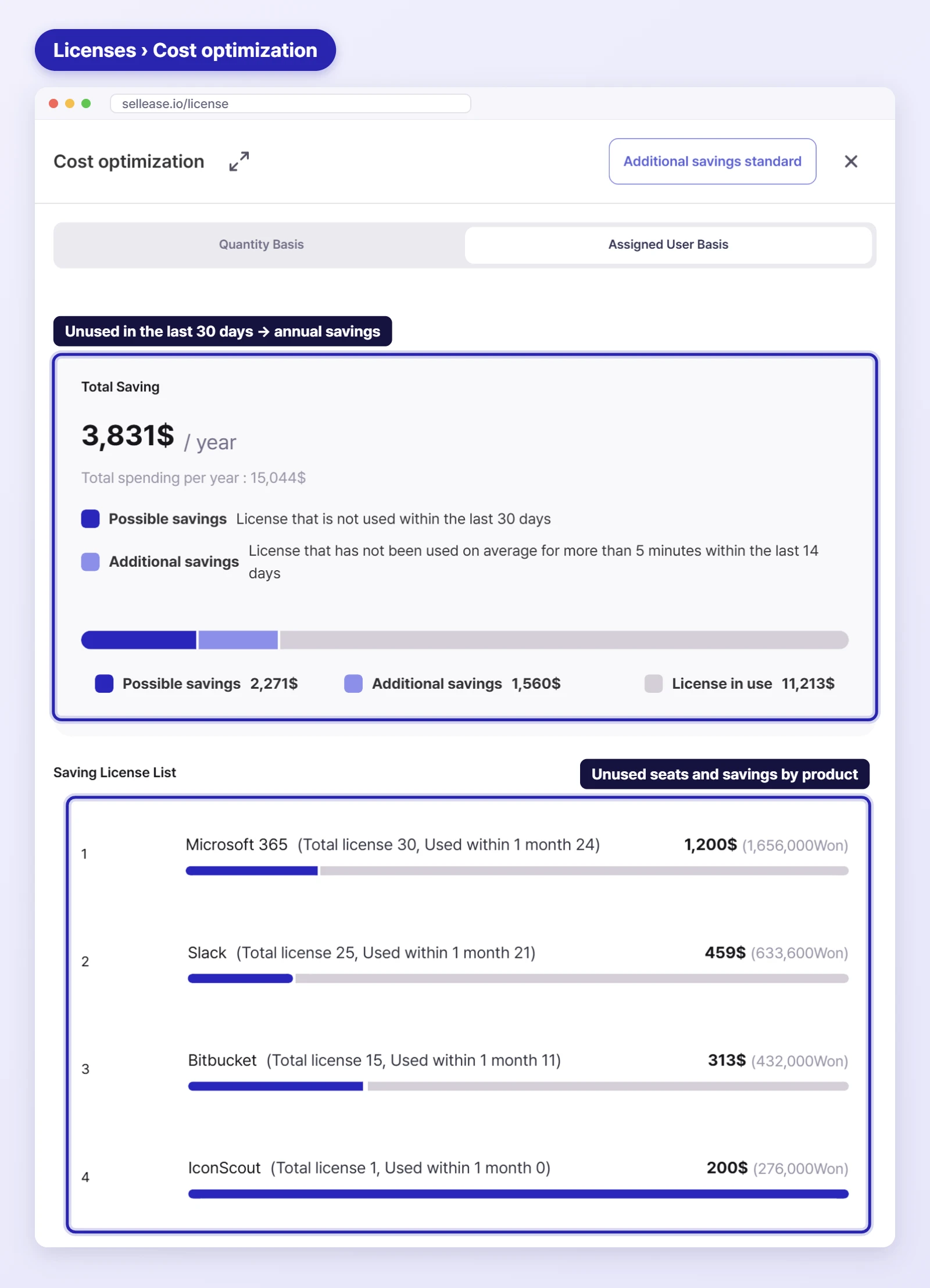
With SELLEASE IT Asset Management, an agent installed on each PC collects installed software and run time, so you can compare what you bought with what you use on one screen. On the software detail page, members who have left (been deleted) are marked with an icon, so reclaim targets are easy to spot. The Cost optimization view on the Licenses page shows licenses unused in the last 30 days and the annual savings per product. Managing physical assets such as laptops and monitors in the same ledger lets you review hardware and software budgets together.
To learn more about where software spend leaks, see The hidden cost of software: what's draining your budget. 👀
A full review once a year before budgeting is the baseline, plus an individual check 60 days before each product's renewal. If usage data is collected automatically, a short quarterly look is enough.
Ask the user first whether they still need it, and explain how to request it again. Announcing the rule in advance (e.g., 90 days unused) also reduces friction.
Yes. Perpetual licenses may look free after purchase, but maintenance contracts often renew every year, and installs exceeding owned seats can create license compliance issues. Check owned seats and installs together.
Run this year's review in SELLEASE instead of a spreadsheet. Get started with SELLEASE for free 🚀

