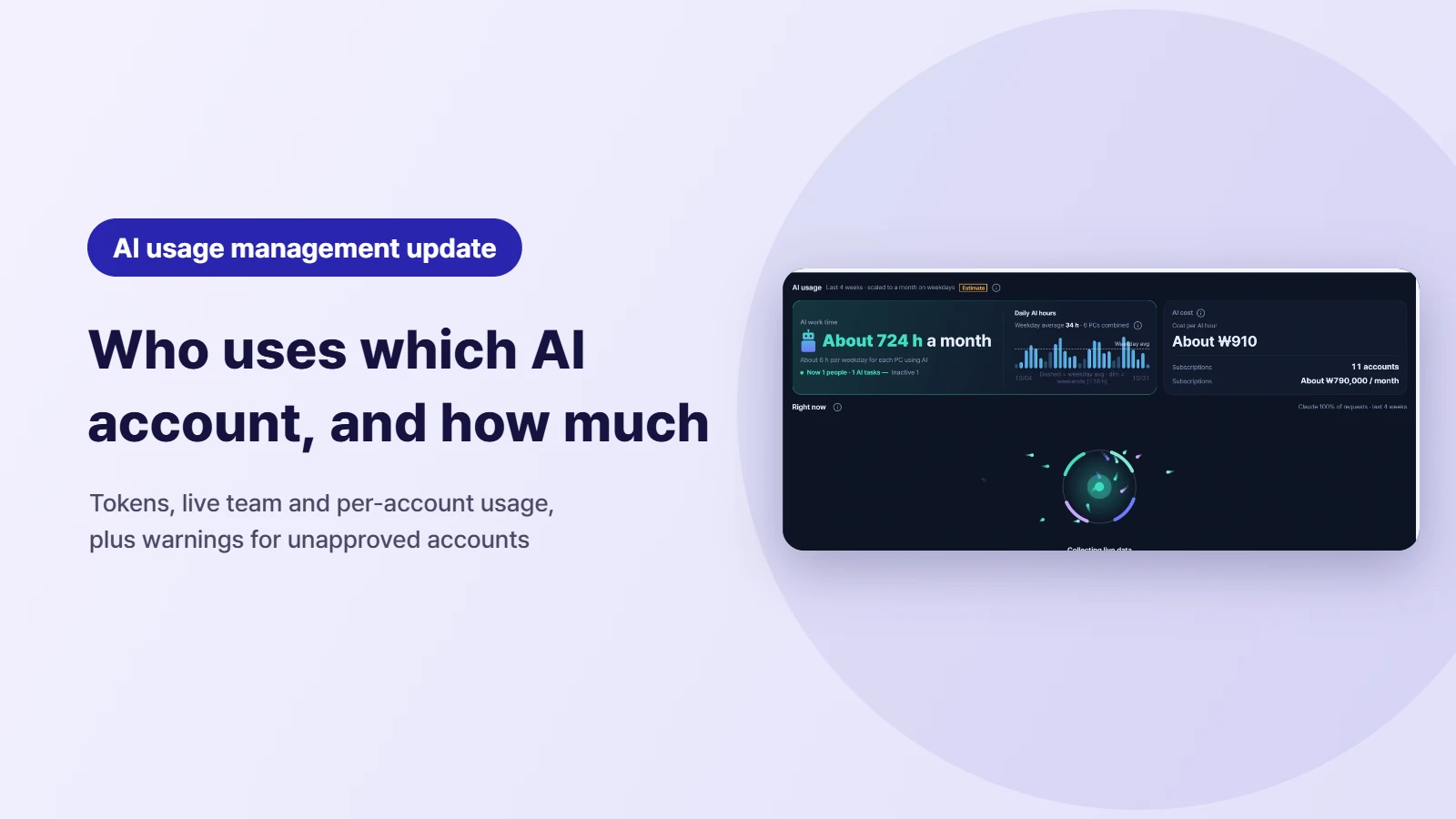
Go through the company card statement at month-end and the same lines keep showing up: Claude, ChatGPT, Claude again. The statement doesn't tell you who uses each account, or whether it's a team plan or someone's personal subscription. The dev team says they "bought one more because they kept hitting the limit", while another team paid for a seat two weeks ago and hasn't touched it. And when someone uses AI on a company PC with a personal account, you don't see it at all. 🤔
The AI menu (beta) in SELLEASE just got a major update. It pulls together the AI subscriptions used on employee PCs and your company's API key usage into four views, by account · by member · live by team · API (tokens and cost), and it can show a warning window on any PC where an unapproved AI account is used. Here's what each view shows and how to put it to work.
AI › Usage by account lists every AI subscription account used in your company in one table. It currently tracks Claude and Codex/ChatGPT subscriptions separately, and for each account you see:
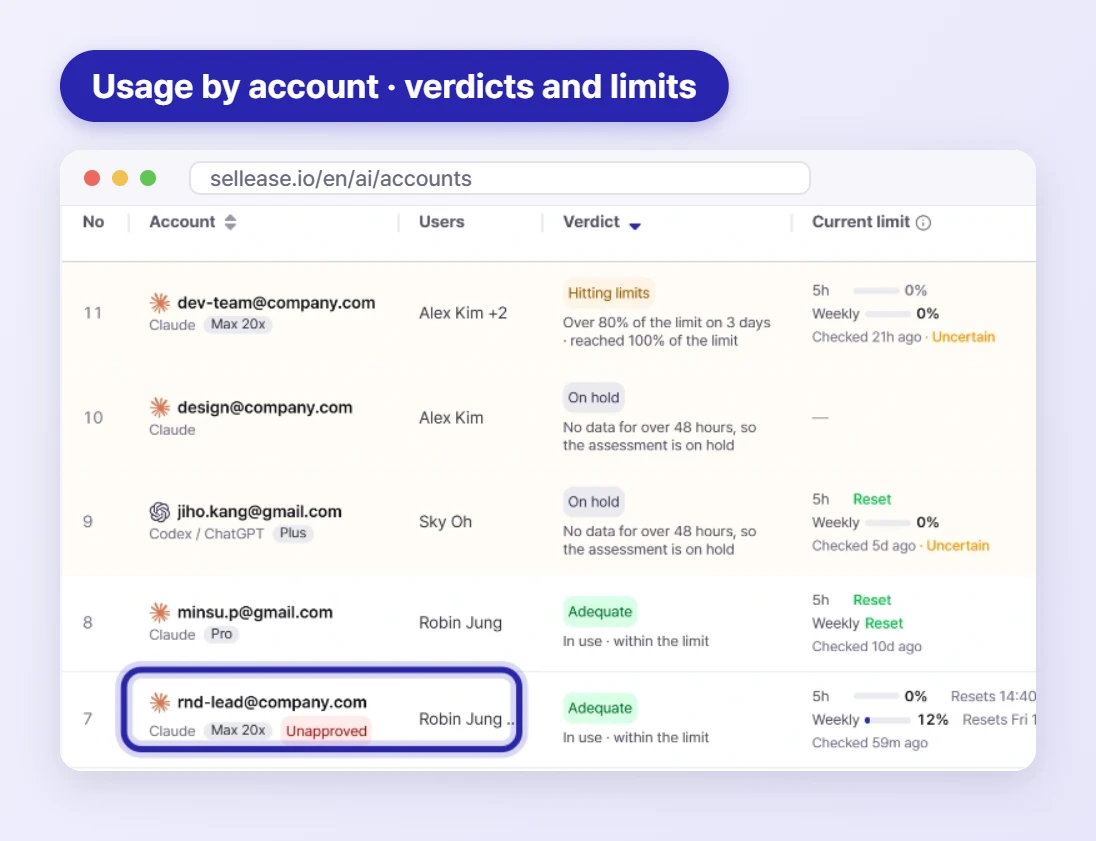
The most useful column is the verdict. Accounts are labeled Hitting limits · Unused for a while · Room to spare, and the default sort is by action priority, so the accounts that need attention come first. 💡
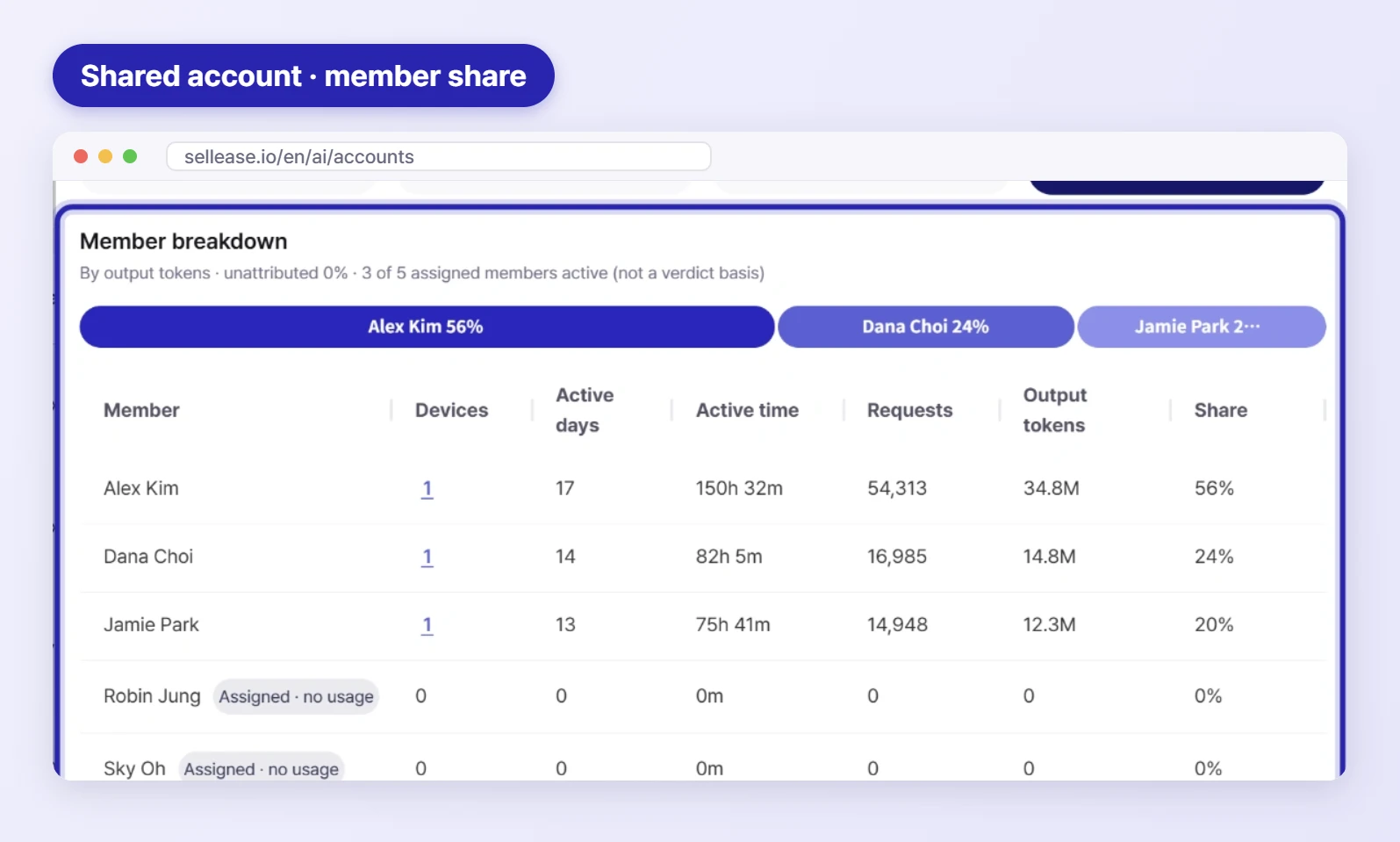
Select an account in the list to open Account detail. For a shared account, Member breakdown shows who uses it and how much (share of the account, active time, requests and output tokens), and which assigned members aren't using it at all. Usage by model shows which models the account was used with. It gives you the evidence to decide whether to split a shared account that keeps hitting its limit, or drop unused members and move to a lower plan.
AI › Usage by member regroups the same data by person. You see how many members use AI (adoption rate), each member's active time, requests and output tokens, their top model, and how many subscriptions and devices they use.
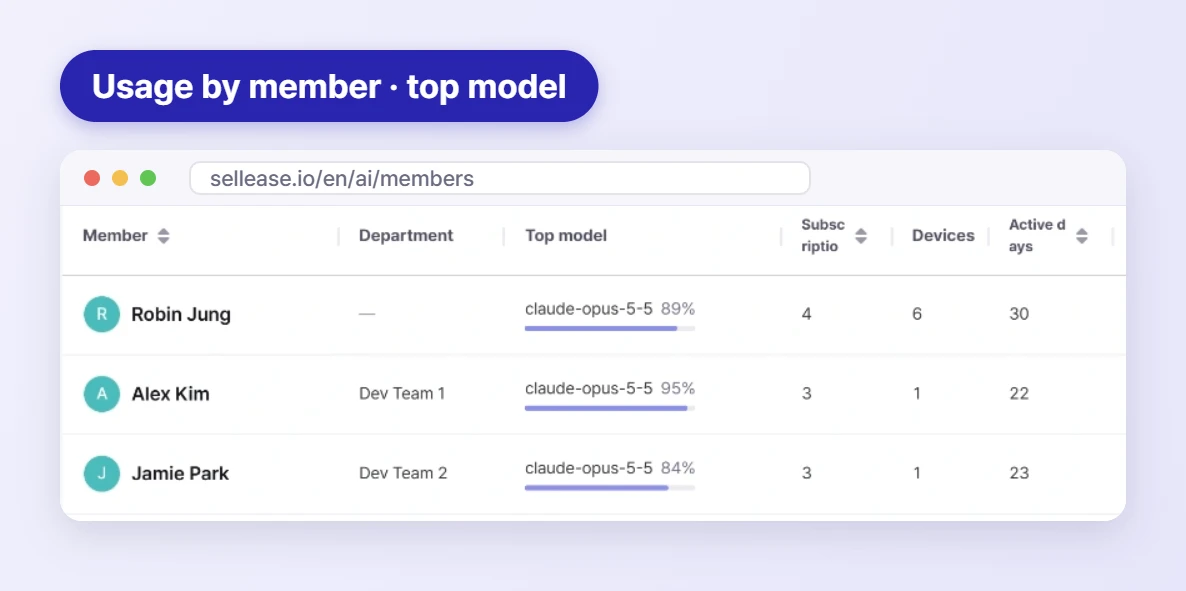
It's a good answer when leadership asks to see what AI adoption is actually delivering. If one person holds several subscriptions, there may be room to consolidate. Note that usage from PCs with no assigned user isn't counted here, so assign a user to each PC in asset management first.
AI › Live team usage shows AI work collected from employee PCs in near real time (up to a 5-minute delay).
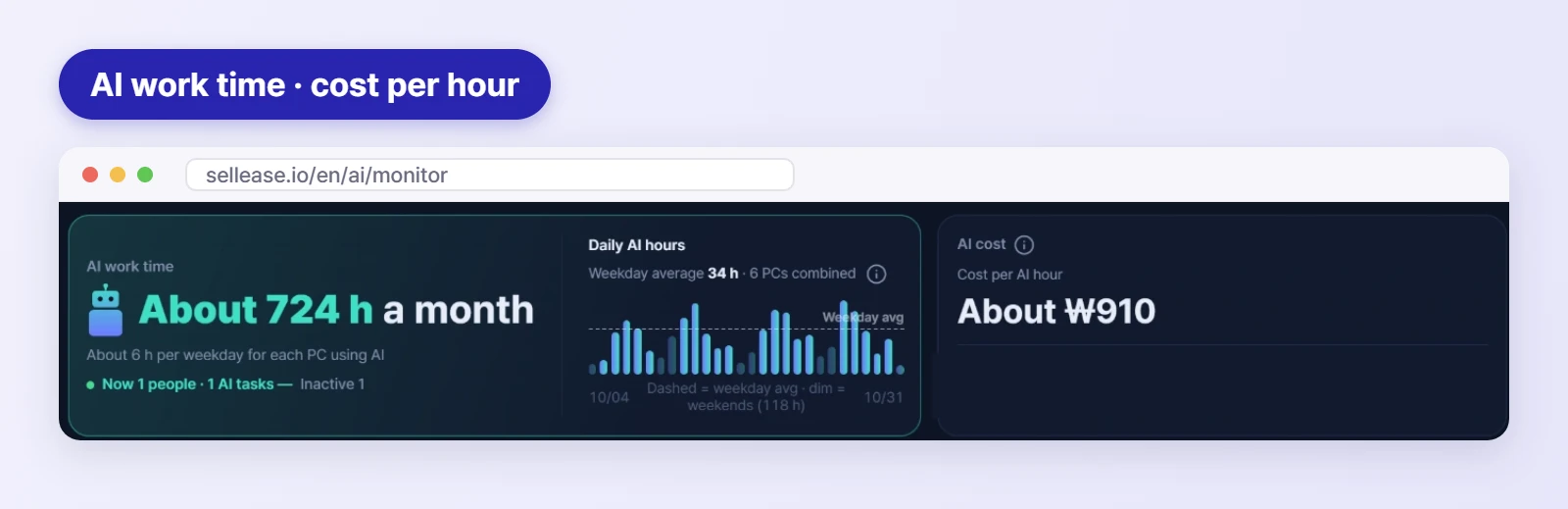
Cost per AI hour divides subscription cost by actual AI work time, so the next "should we buy more seats?" conversation can be about numbers instead of hunches. 📊
If internal tools or automations call the OpenAI or Claude APIs, AI › API usage shows what they cost. Once your company's API connections are registered, it reports for any period:
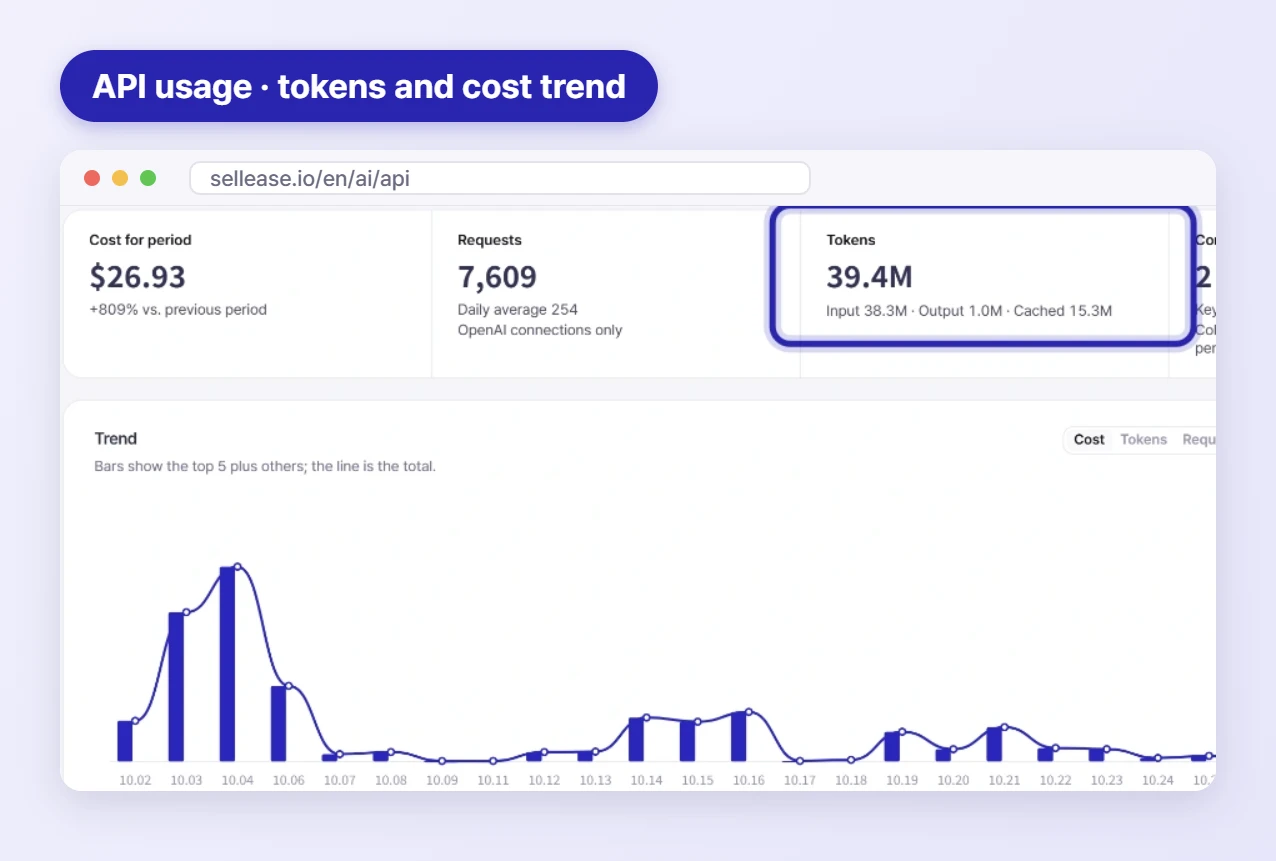
When API spend suddenly jumps, find the spike in the trend chart, then narrow down the cause in the project and model tabs. The connection status also shows how many API keys are going unused.
This is the one security teams will like most. When an AI account your company hasn't approved (for example, one created with a personal Gmail address) is used on a company PC, a warning window appears on that PC. You set it up under Unallowed Policy at the top right of Usage by account.
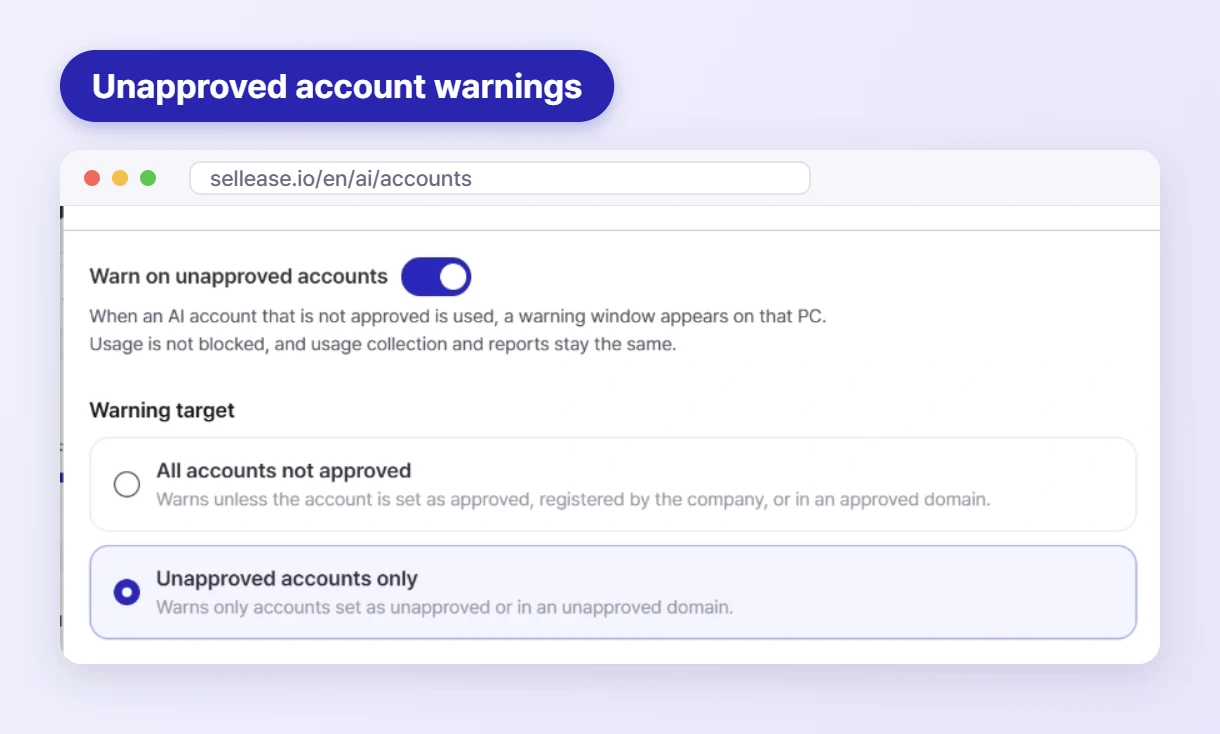
The most common setup is to approve only your company domain and warn on everything else. Set the warning target to "All accounts not approved" and add your company email domain as an approved domain, and any AI account signed in with a non-company email gets a warning. Adding personal mail domains as unapproved domains also makes them easy to spot in the account list.
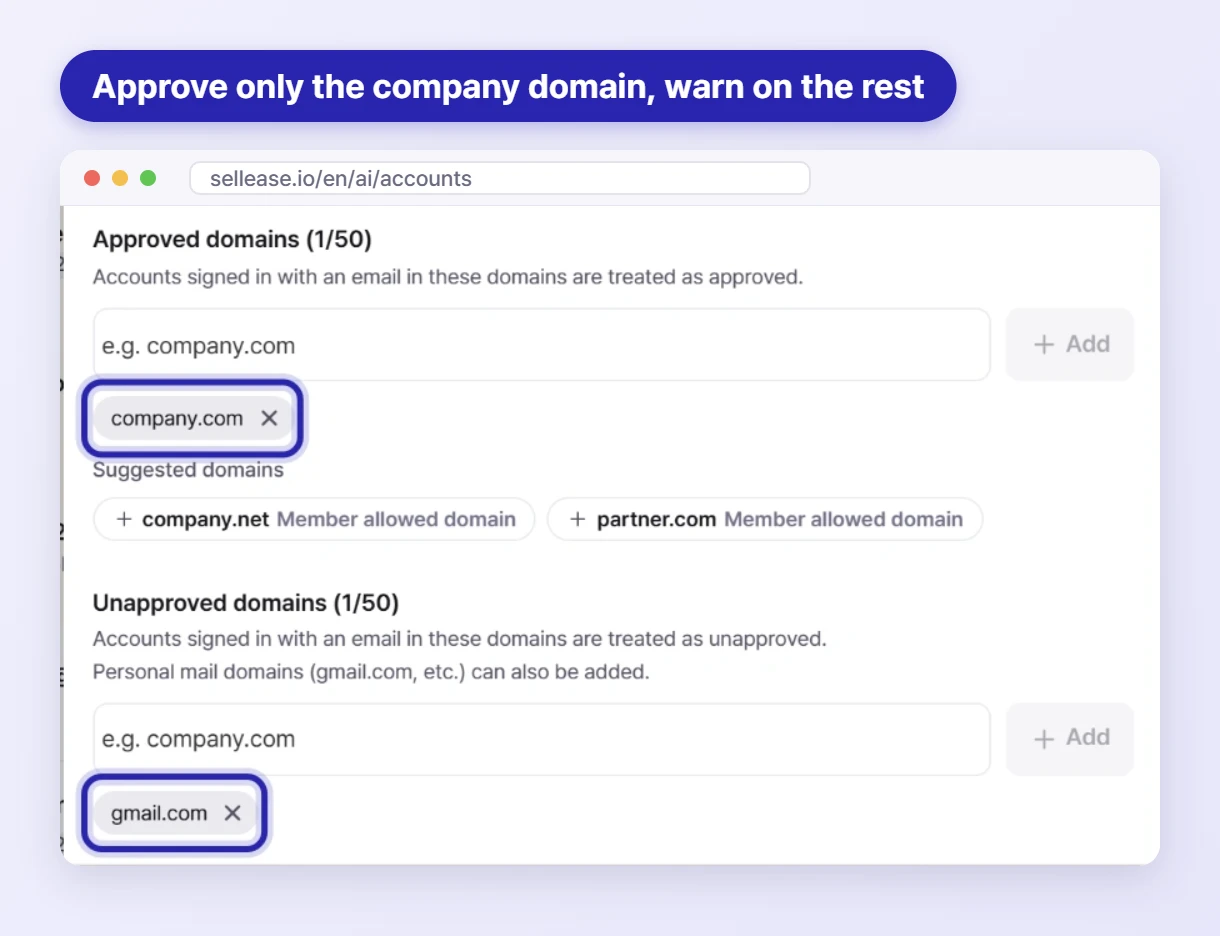
Accounts are evaluated in this order: account setting → company-registered account (approved) → domain rule → unclassified. The warning informs rather than blocks, and usage collection and reports continue as normal. The goal is to cut down on company code and documents going into personal AI accounts without interrupting work. 🔒
AI subscription data is collected by the SELLEASE agent installed on each PC, so PCs with the agent are the ones counted. For a broader software review, see the SaaS and software license checklist before IT budgeting, and for agent-based IT asset tracking overall, see SELLEASE IT Asset Management. 📌
Subscription accounts are currently tracked separately for Claude and Codex/ChatGPT. API usage is based on the OpenAI and Claude API connections your company registers.
No. A warning window appears on that PC to let the user know. Usage itself isn't blocked, and usage collection and reports continue as normal.
These views show usage and cost: accounts, plans, tokens, requests and active time. If you'd like details on what's collected, we'll walk you through it during an enterprise consultation.
The next time someone asks for one more AI subscription, you can answer with that account's limit usage and cost per AI hour. To see your own company's AI usage, send us an Enterprise inquiry. We'll cover agent rollout and security policy too. 🚀