Picture the day ten new laptops arrive. You open the boxes, flip each laptop over and copy the model name and serial number from a tiny label, character by character. You double-check whether that's a 0 or an O, a 1 or an I, paste it into a spreadsheet, then type it again into your asset management system. Ten laptops is bearable. An office move or a full physical inventory is another story. 😮💨
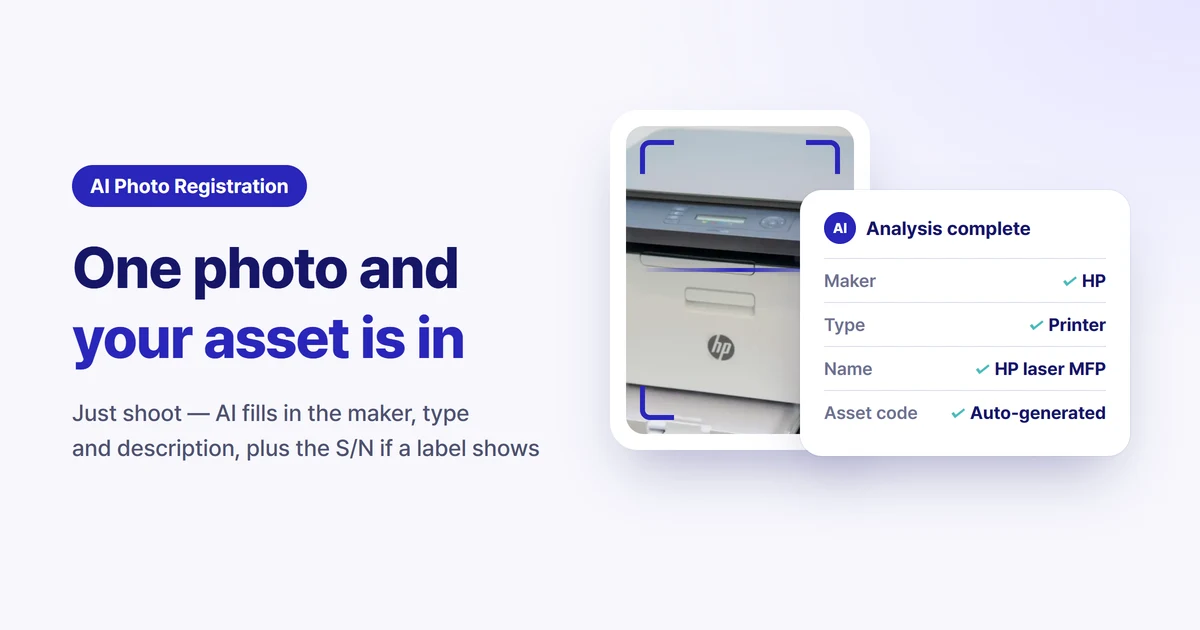
Sellease AI photo registration cuts that process down to a single photo. Take a picture of an asset with your smartphone and AI identifies the manufacturer · model · type, and if a label is visible, reads the serial number (S/N) too, then fills in the asset record. This post covers what AI photo registration reads, how to shoot so it reads well, and how it's used in physical inventory and audits.
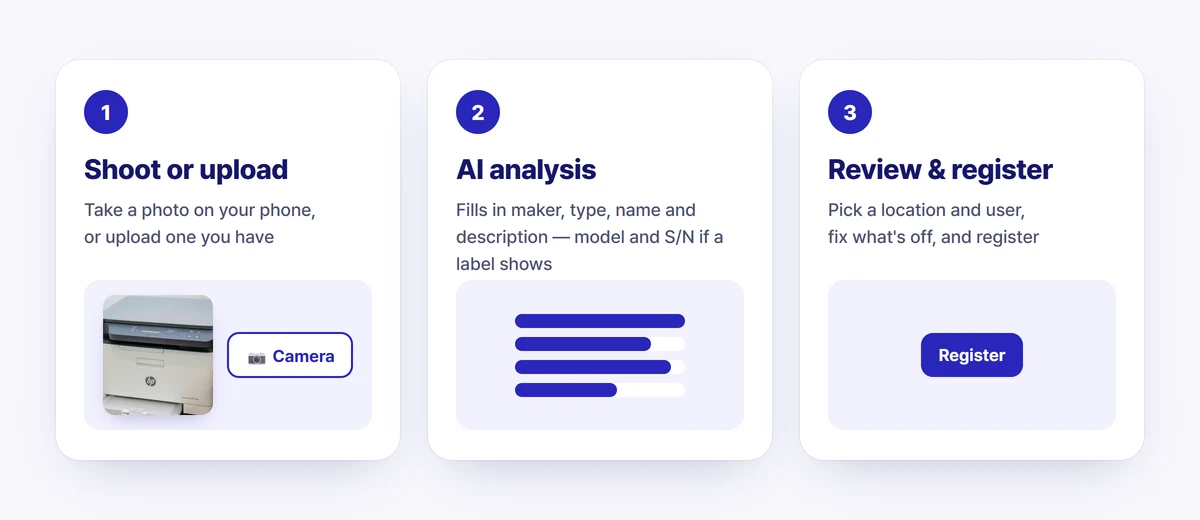
Press the AI asset registration button on the Tangible Assets screen to open the registration window. Drag in a photo or take one directly with Camera, then press Start AI analysis.
AI looks at the asset in the photo and fills in the following automatically.
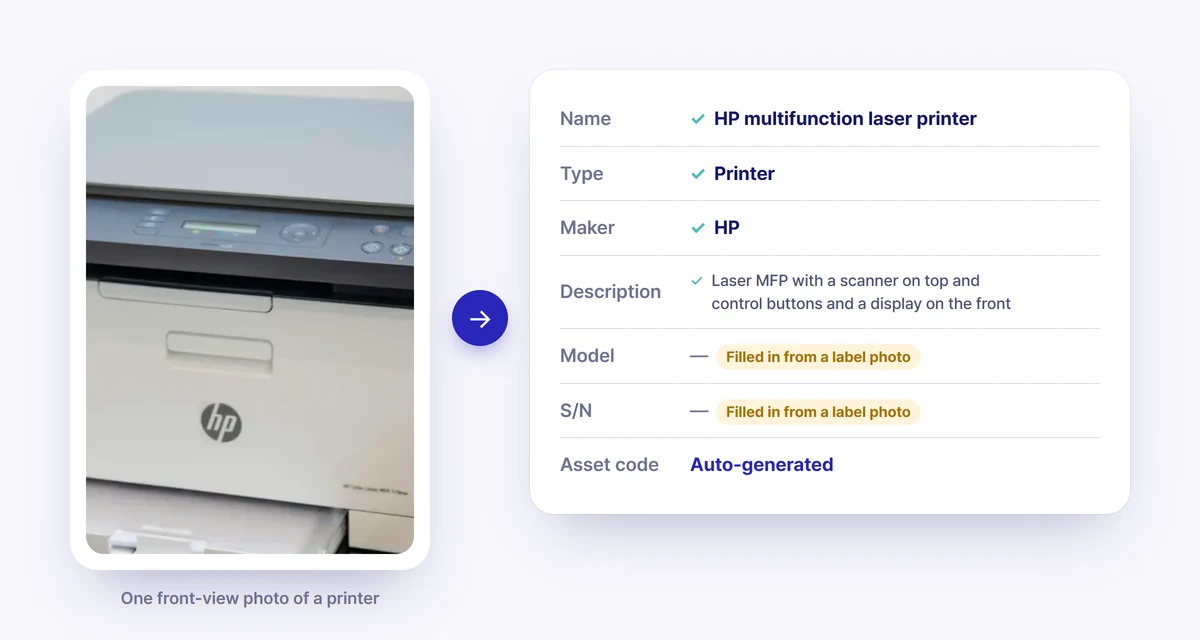
The example above is the result of uploading one front-view photo of a printer. AI identified the manufacturer (HP) from the logo, and the name, type and description from its appearance. Since no label was in the photo, model and S/N were left blank. The asset code is generated automatically according to your company's rules.
All a person has to do is glance over the result, choose a location and user, and press Register. If anything is wrong, just fix that field.
As in the example, AI leaves blank anything it can't confirm from the photo instead of forcing a value. If you want the model and S/N too, take one more photo of the label and upload it. For asset data, admitting what you don't know is far safer than guessing and entering a wrong value.
For AI to read accurately, the information has to be in the photo. Where you aim depends on the type of asset.
AI photo registration isn't only for first-time registration. Since the September update, it's connected to physical inventory.
When an employee photographs the laptop at their desk during a physical inventory, Sellease first checks whether the same serial number is already registered.
A physical inventory where an administrator walked from desk to desk with a spreadsheet becomes one where each employee uploads a single photo.
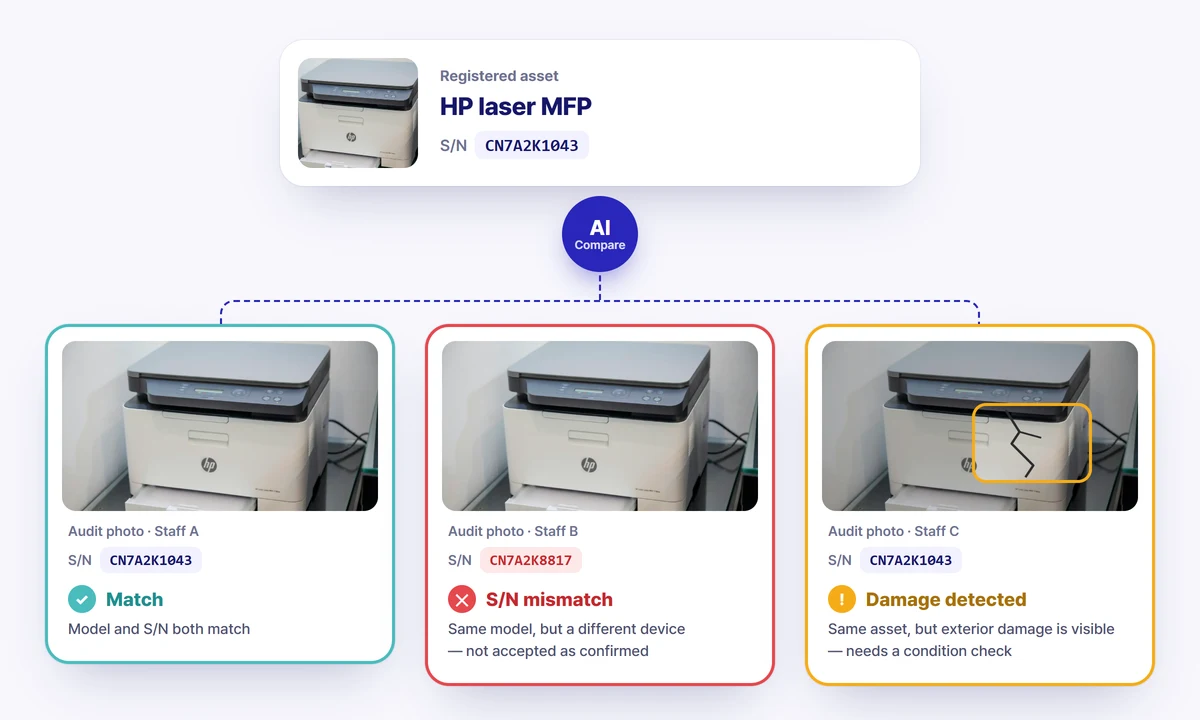
There's a common worry in physical inventories: "The employee checked the box saying they confirmed it — but did they actually look at that asset?"
Sellease AI photo verification compares photos submitted during an audit against the registered asset information. It goes a step beyond simply asking "is this a photo of a printer?", as shown below.
The big win at closing and audit season is that behind every "confirmed" record sits photo evidence that someone saw that exact device, in that condition.
AI photo verification is an Enterprise plan feature. It isn't available in the free trial.
If you already manage many assets in Excel, there's no need to photograph them one by one. We recommend moving your existing list all at once with Excel AI import, and using photos only for newly arriving assets or ones missing from the list.
The full process of moving from Excel is covered in detail in How to migrate Excel-based asset management to Sellease.
You can try out the full set of features on the Fixed Asset Management page. Tap a sample photo to see right away how AI reads it.
Yes. Assets without labels, such as desks and chairs, are registered by type and features when you photograph the whole item. For electronics, though, a logo or label needs to be visible for the manufacturer, model and S/N to be read accurately.
Review the result before pressing Register and fix only the wrong fields. Anything that can't be confirmed from the photo is left blank rather than guessed.
Sellease checks by serial number whether an asset is already registered. If the same S/N exists, nothing new is created — you can just change the user of the existing asset, which prevents duplicate registration.
AI photo registration is available on all plans. AI photo verification (checking S/N and damage during audits), however, is an Enterprise plan feature.
Asset registration is the first button of asset management. If the first button is a hassle, data goes missing, and when data goes missing, everything after it wobbles. Fasten that first button the easy way — with a single photo.