"How many company laptops do we have right now?" Few companies can answer that on the spot when the CEO asks. The admin team's spreadsheet says 120, the IT team's tool says 134, and the accounting ledger says 108. Nobody is sure which is right, and finding out means days of walking from desk to desk. 🤔
This guide covers what IT asset management (ITAM) is and why it matters, 5 steps you can start today with nothing but a spreadsheet, the fields every asset register needs, and the criteria to check when choosing a solution — written for the people who actually do the work.
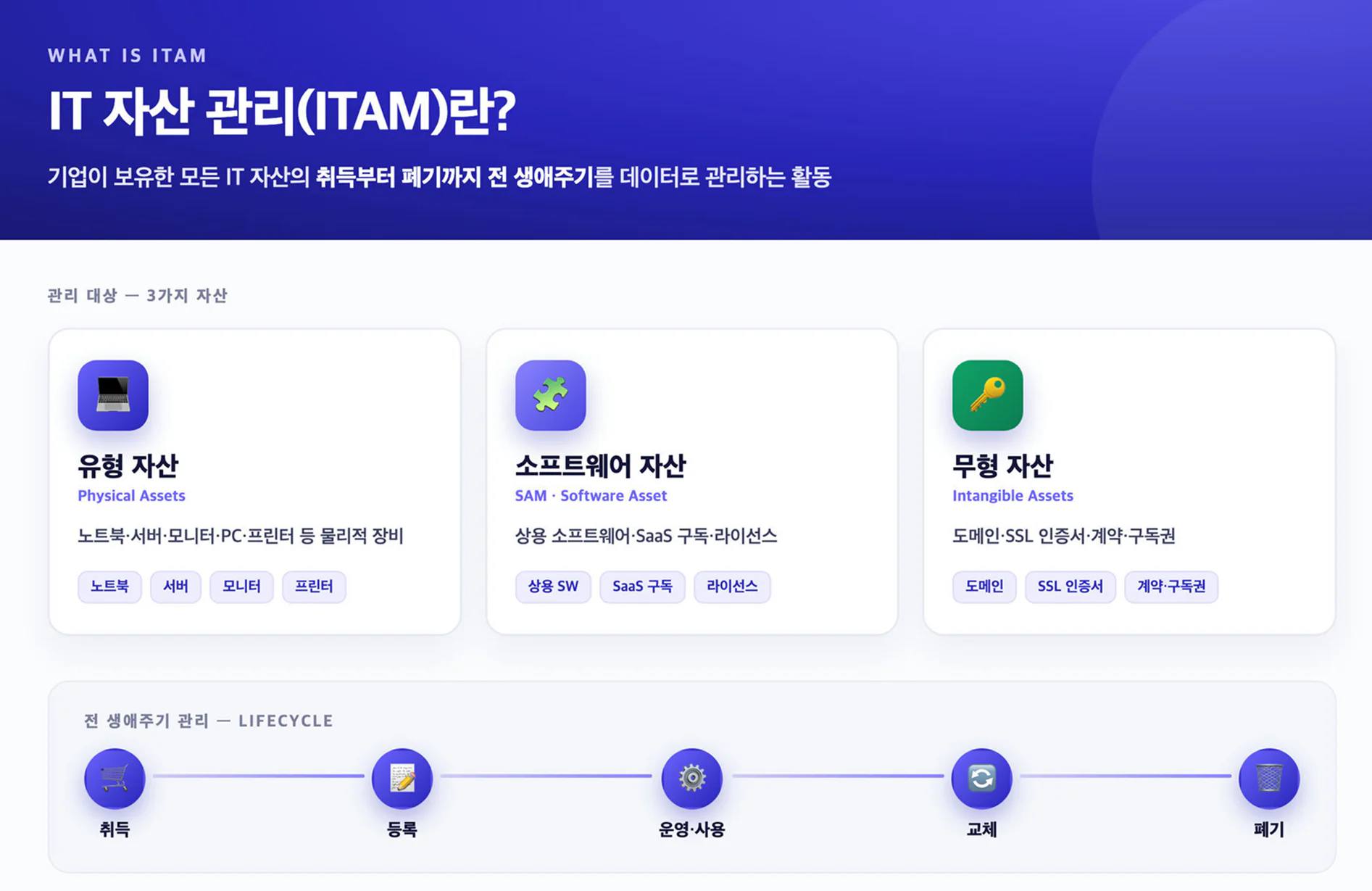
IT asset management (ITAM) is the practice of systematically managing every IT asset a company owns across its entire lifecycle, from acquisition to disposal. It covers three broad areas.
It's not just "keeping an equipment list." It's controlling, with data, what you own and how much, who uses it, where and how, and when to replace or dispose of it.
In October 2025, the Korean government announced its "Pan-Government Comprehensive Information Security Plan." Alongside it, the Ministry of Science and ICT asked corporate chief information security officers (CISOs) for an urgent security check, requiring them to audit their company-wide IT asset inventory, report the results to the CEO, and submit it with the CEO's signature (Boan News, Korean). Vulnerability checks and security patches both start with knowing what assets you have.
If security tools examine each device through a microscope, IT asset management lets you survey every asset at once through a telescope.
SaaS subscriptions are easily paid for separately by each team or person. Accounts of former employees stay active, and two teams pay for tools that do the same thing. If you don't know what you use and how much, you can't cut it. We've put the steps in our SaaS and software license audit checklist before IT budgeting.
With IFRS 18 taking effect in 2027 and changing the structure of the income statement, the basis on which you classify expenses and assets becomes more important. When physical assets and accounting ledgers don't match, reconciliation repeats at every closing and audit. For details, see How IFRS 18 affects operating profit and asset management.
See whether you can answer these right away.
If any answer is "not sure," unnecessary costs and security risks are likely piling up quietly.
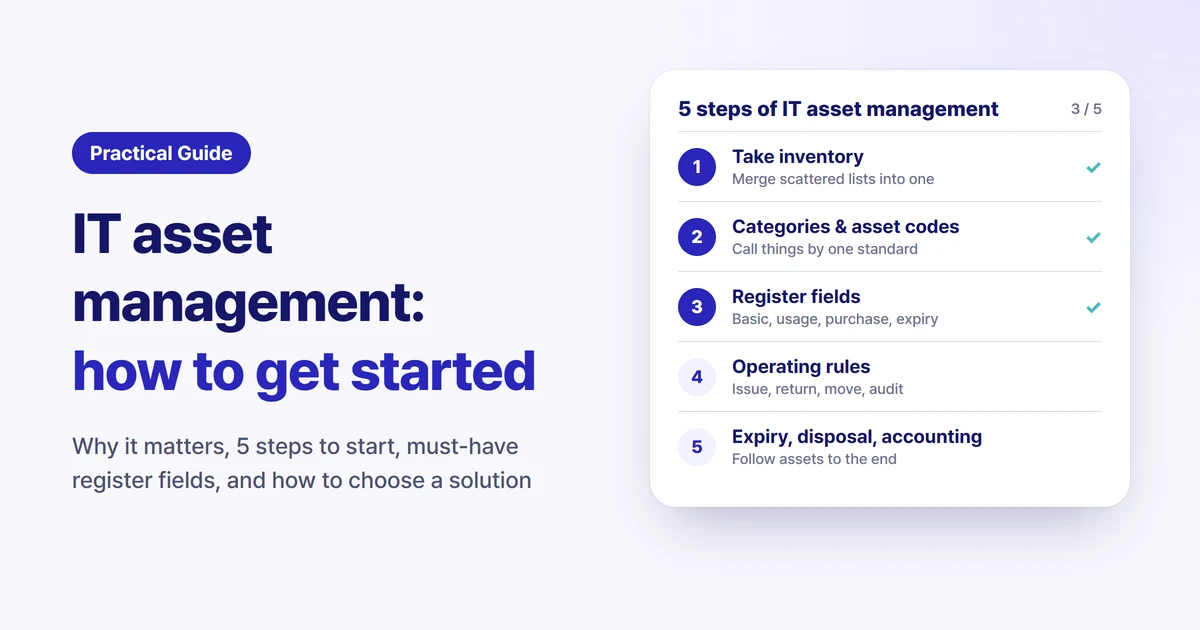
You don't need a perfect system from day one. Follow these 5 steps in order and you can build a solid management process even starting from a spreadsheet.
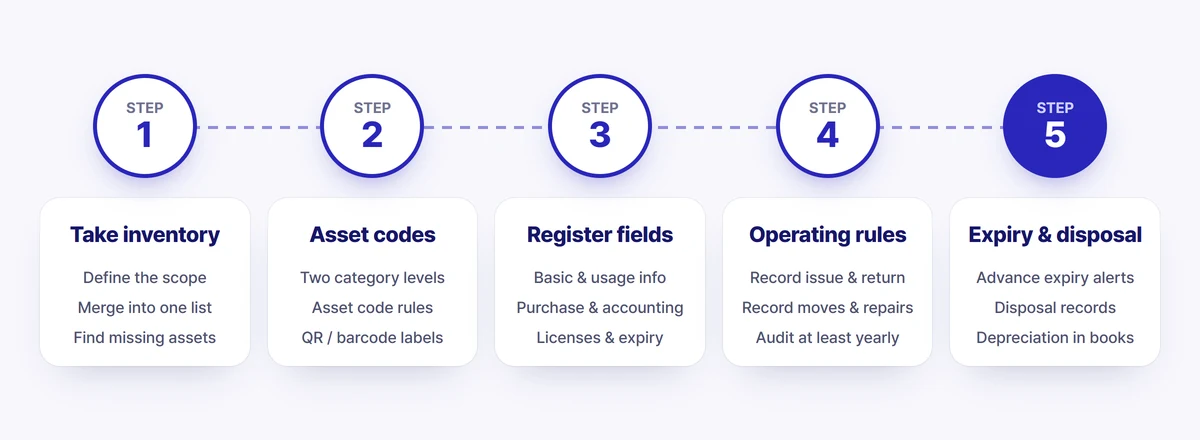
First decide how far to go. We recommend starting with high-volume, high-value equipment such as laptops, desktops and monitors, plus your most expensive software. Once the scope is set, check every asset you have once.
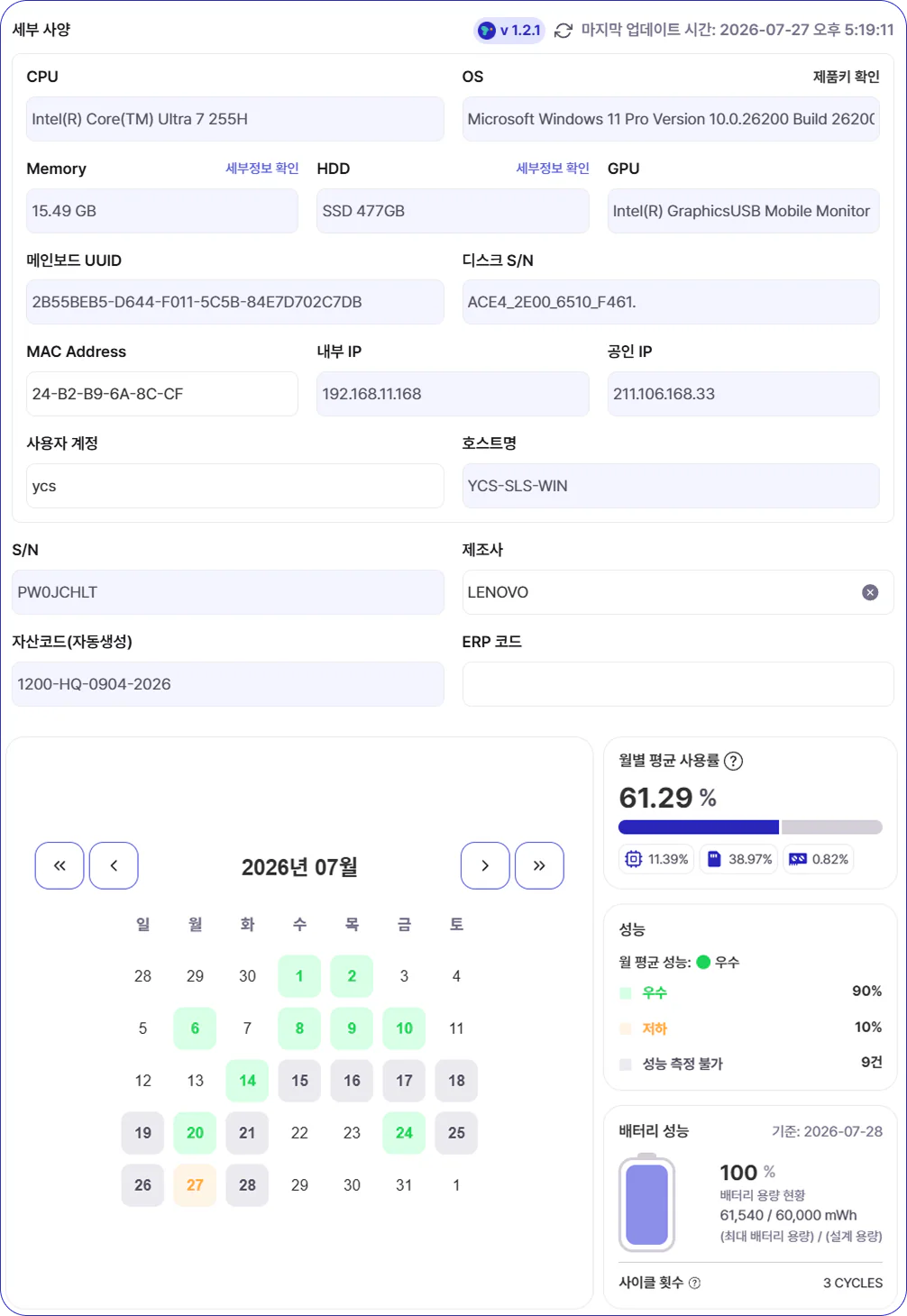
In Sellease, upload your existing Excel register as-is and AI maps the fields and registers it (Excel AI import); assets missing from the list can be registered with a single photo. Install a lightweight agent on PCs and specs such as CPU, RAM, storage and S/N, plus installed software, are collected automatically.
As assets grow, calling things by the same standard matters more.
NB-2026-0001 (laptop, acquired 2026, no. 1)Too many fields and nobody fills them in; too few and the register is useless. The fields below are enough for most companies.
Keeping a register up to date is harder than creating it. Set rules so that every time an asset moves, a record is left.
In Sellease, purchase, repair and disposal requests handled as tickets are recorded automatically in the asset history, and loans and returns are handled with QR scans and e-signatures. In a physical inventory, employees confirm their own assets on their smartphones, so audits that took days shrink dramatically (fixed asset physical inventory guide).

The final step is managing the end of an asset.
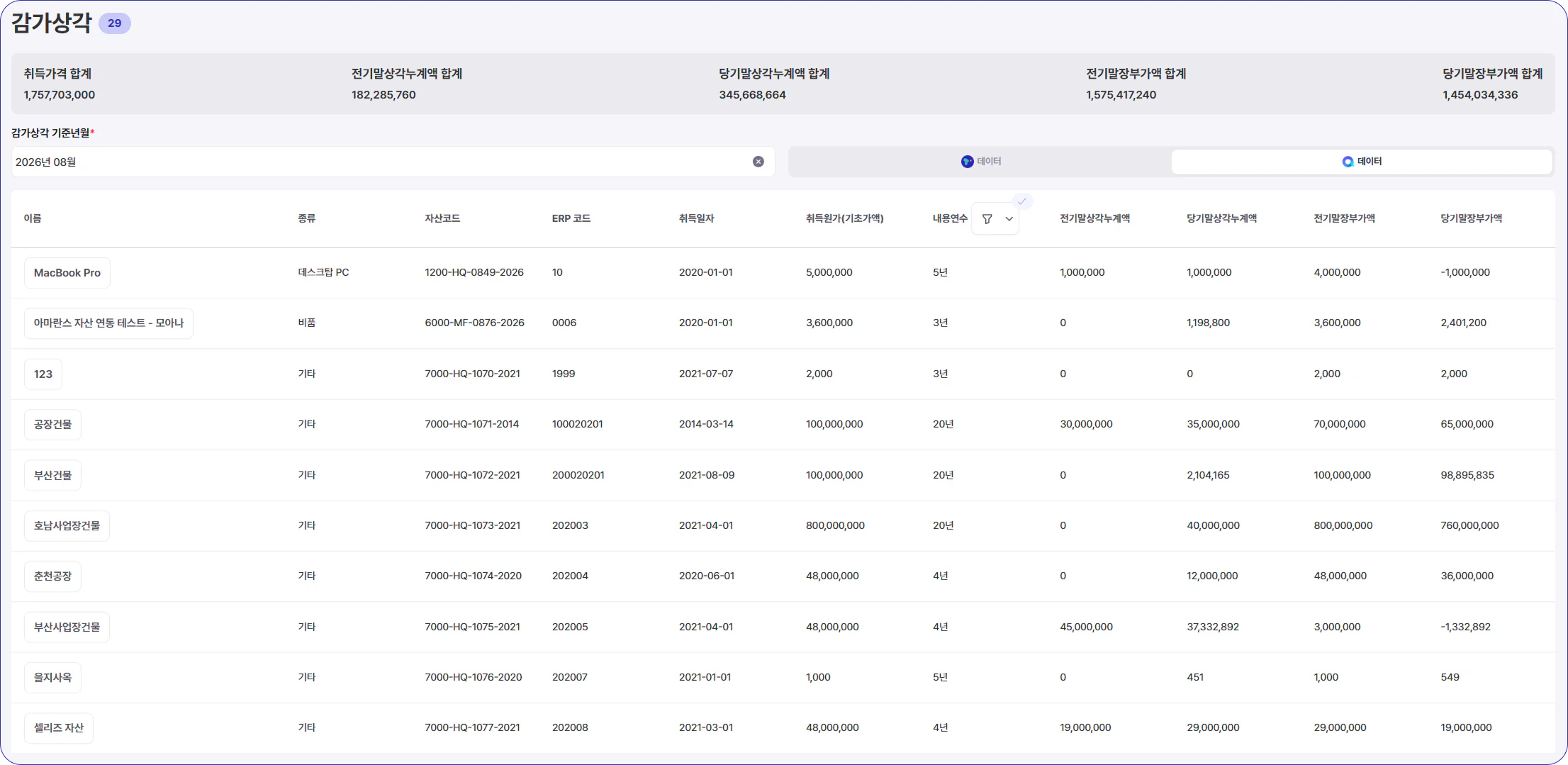
In Sellease, alerts go out several times by email, text and Slack before expiry, and depreciation is calculated automatically and synced with ERPs such as Douzone and SAP (ERP and ITSM integration).
If you have a few dozen assets and one person in charge, Excel is enough. But when you see the signs below, it's time to consider a solution.
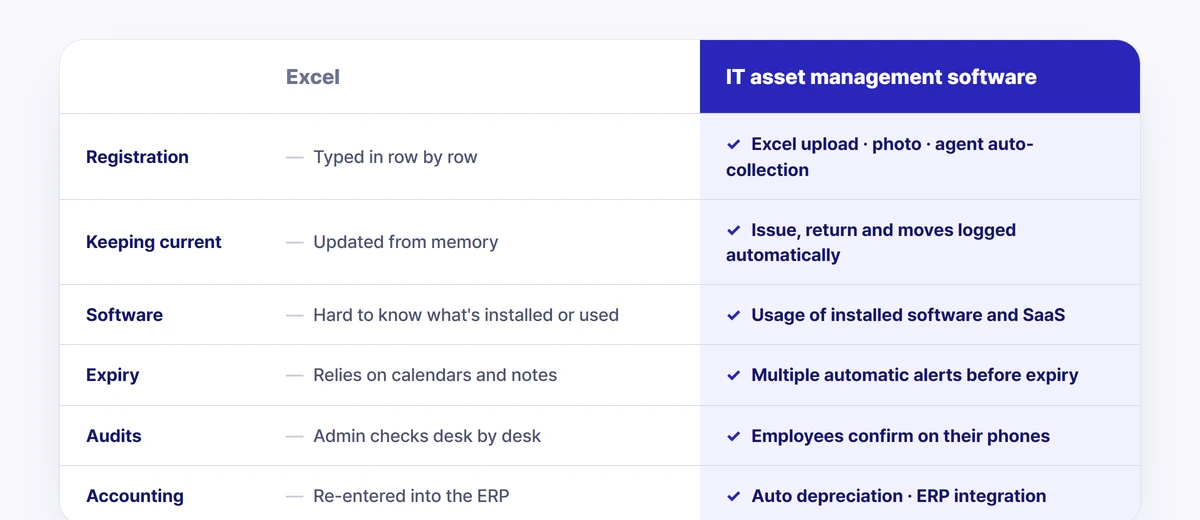
The last two in particular are almost impossible to solve in Excel, because Excel only knows what people type into it. The process of moving from Excel is covered in How to migrate Excel-based asset management to Sellease.
At many companies, three departments manage the same assets separately.
The same assets end up in separate registers, so data is scattered and never matches. The goal of IT asset management is ultimately to bring these registers together into one register.
When comparing solutions, look past the feature list to whether it will actually work at your company.
Finally, don't just look at demo screens — trying it with your own company's data is the surest test. Our guide How to validate an asset management system with a 2-week free trial lists what to check during the trial.
"SSL certificate management ended our worries about service outages."
"We once suffered a service outage because a certificate expired. Since registering it in Sellease, we get alerts by email and KakaoTalk, so expiry is no longer a worry."
— Manager Moon, Thirty Life
"Seeing software usage rates helped us cut unnecessary costs."
"Commercial software costs kept rising, but we couldn't see actual usage, so cutting back was hard. After adopting Sellease, we saw usage at a glance and cut unnecessary costs right away."
— CEO Lee, Btree
"We audited thousands of assets easily with QR codes."
"QR scanning made audits remarkably easy, and handling receipts and returns with e-signatures eliminated paperwork."
— Admin team manager, TTI Korea
Software asset management (SAM) is one part of IT asset management (ITAM). ITAM is the broader concept covering hardware, software and intangible assets.
If you have few assets and one person in charge, yes. Start by building a register with the fields in Step 3. But once you pass a few hundred assets or several departments need to manage them together, keeping it current gets hard, and it's worth considering a solution.
We recommend a full physical inventory at least once a year, before closing. Companies where assets move often frequently audit every half or quarter. The lighter the audit, the more often you can do it.
With Sellease, upload your existing Excel register as-is and AI maps the fields and registers it, so migration is light. Assets not in the spreadsheet can be added with a single photo.
You can start registering accounts and assets the same day, and agent-based management is usually set up within a few days. After you contact us, you can run a PoC on your own company's data first.
Yes. At smaller companies, asset information can vanish entirely when one person leaves. Setting up a register and rules from the start means you won't have to reorganize as the company grows.
Cost savings, stronger security, efficiency, compliance — IT asset management is the foundation of running a company. Start today with Step 1: taking inventory. With Sellease, a single Excel register is all you need to begin.